![cc5404e7b75e6d484a23b7d9f19a2774.png]](https://support.arworkflow.com/hs-fs/hubfs/cc5404e7b75e6d484a23b7d9f19a2774.png?height=50&name=cc5404e7b75e6d484a23b7d9f19a2774.png)
Automate your payment follow-ups not only through SMS but also with voicemails. Create templates and choose the appropriate ones to be sent to customers based on your target goal.
Here’s how to do it:
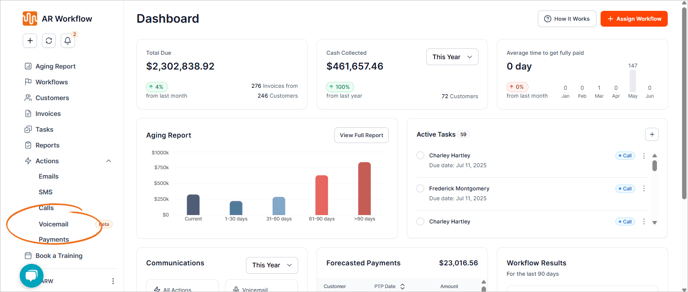
1. Navigate to the Voicemail tab.
2. Click the Send Voicemail button.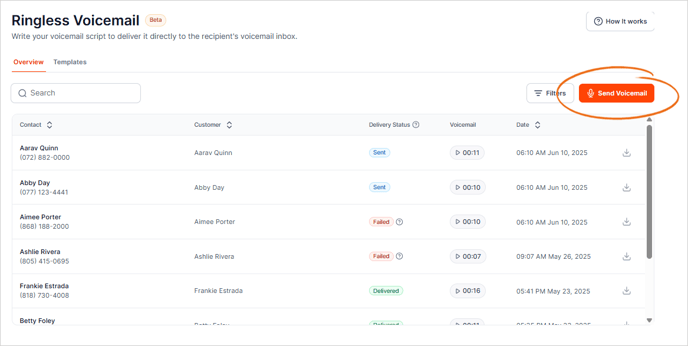
3. Alternatively, go to the Quick Action menu and select Send Voicemail.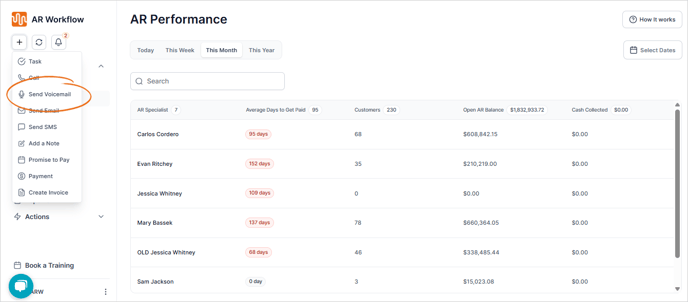
4. Choose the customer to whom you’ll send the voicemail.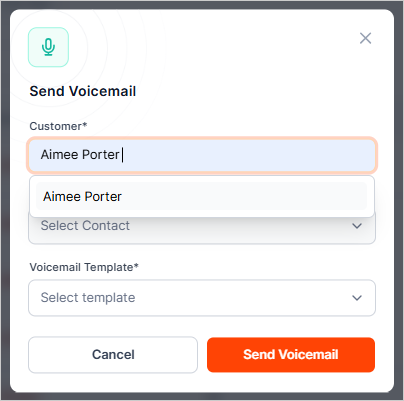
5. Select a billing contact from the list.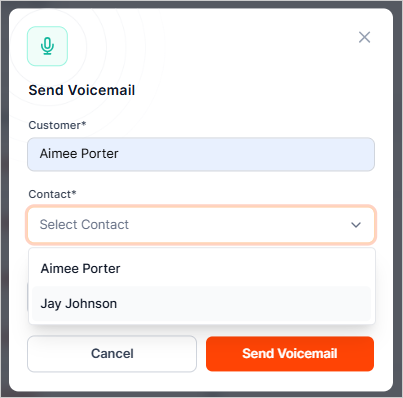
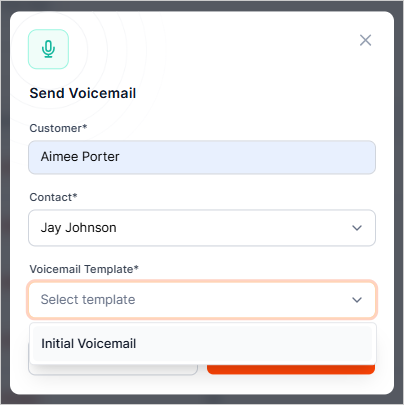
6. Choose a template.
Learn how to create a Voicemail template here.
7. If you're going to create a voicemail from scratch, you will have to type the Voicemail message.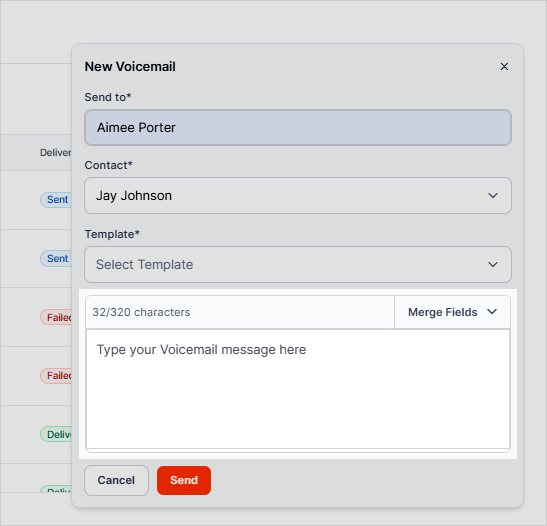
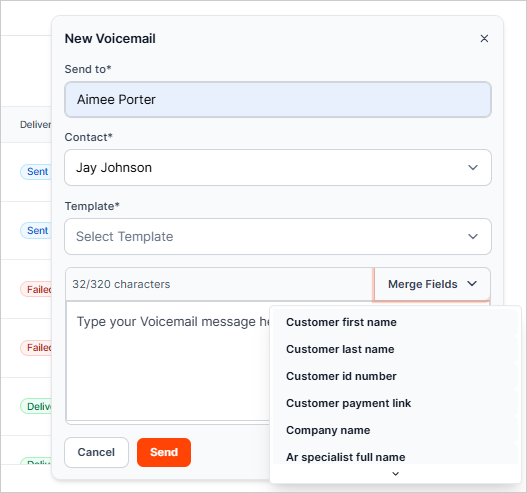
8. Use the merge fields to personalize your voicemail (e.g., Customer Name, Payment Link, etc.).
9. Review the voicemail, and once done, click Send.