![cc5404e7b75e6d484a23b7d9f19a2774.png]](https://support.arworkflow.com/hs-fs/hubfs/cc5404e7b75e6d484a23b7d9f19a2774.png?height=50&name=cc5404e7b75e6d484a23b7d9f19a2774.png)
To add a Product or Service, follow these steps:
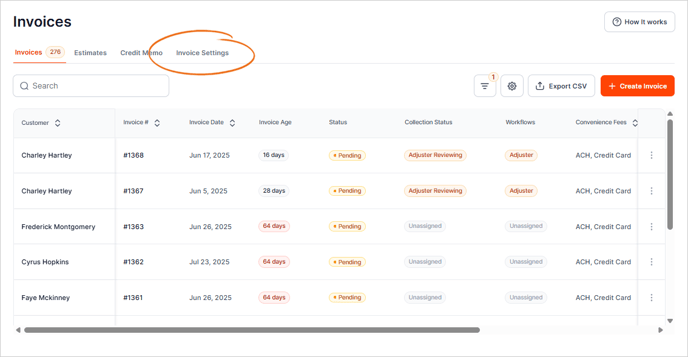
1. Go to the Invoices tab.

2. Navigate to Invoice Settings.
3. Go to the Products/Services tab.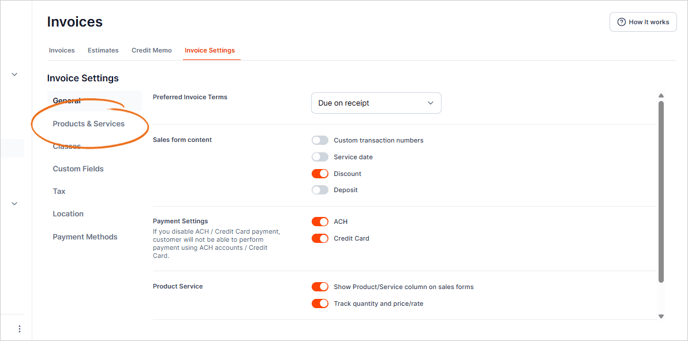
4. Click the + Create New button.

5. Type the name of the Product/Service.

6. Add a Category.

If you need to add a new category, click + Add New.

7. Select a Class.

What's the difference between Category and Class?
-
Categories are used to classify products and services your company sells to customers.
-
Use classes to get deeper insights into your sales, expenses, or profitability for each part of your business.
8. Add the Description of the product or service.

9. Select an Income Account from the list.

10. Add the Sales Tax Category.

11. Review the details of the product/service and click Save.
Next, use this Product or Service in a new invoice!