![cc5404e7b75e6d484a23b7d9f19a2774.png]](https://support.arworkflow.com/hs-fs/hubfs/cc5404e7b75e6d484a23b7d9f19a2774.png?height=50&name=cc5404e7b75e6d484a23b7d9f19a2774.png)
To delete an Invoice, follow these steps:
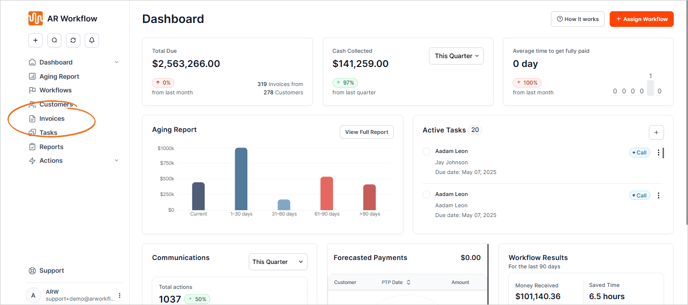
1. Go to the Invoices tab.
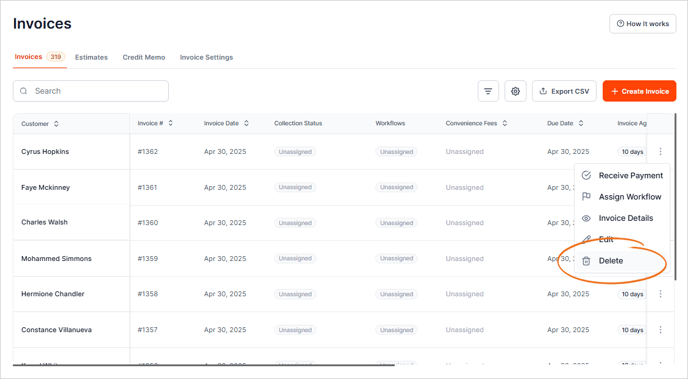
2. On the invoice you want to delete, click the three dots icon and choose Delete.
This action cannot be undone. If you do not wish to delete the invoice, you can also VOID the invoice.
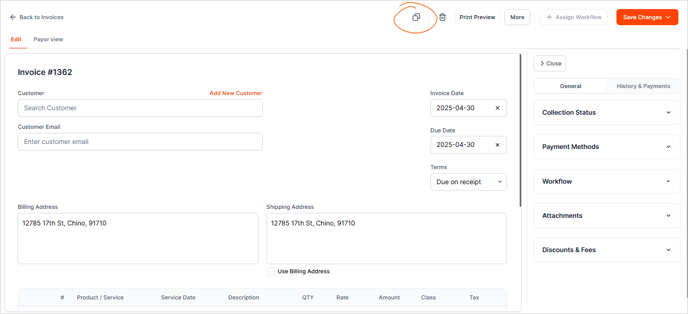
3. You can also open the invoice, click the bin icon, and delete it directly from within the invoice view.
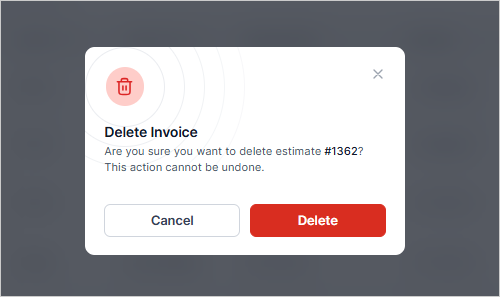
4. Click Delete to confirm your action.