![cc5404e7b75e6d484a23b7d9f19a2774.png]](https://support.arworkflow.com/hs-fs/hubfs/cc5404e7b75e6d484a23b7d9f19a2774.png?height=50&name=cc5404e7b75e6d484a23b7d9f19a2774.png)
Voiding an Invoice will set the Invoice Due amount to zero. This action retains your Invoice sequence, however, removes it from the customer's responsibility.
Note: Voiding will not delete an Invoice. If you need to delete it, follow the steps here.
To void an Invoice, follow these steps:
1. Navigate to the Invoices tab.

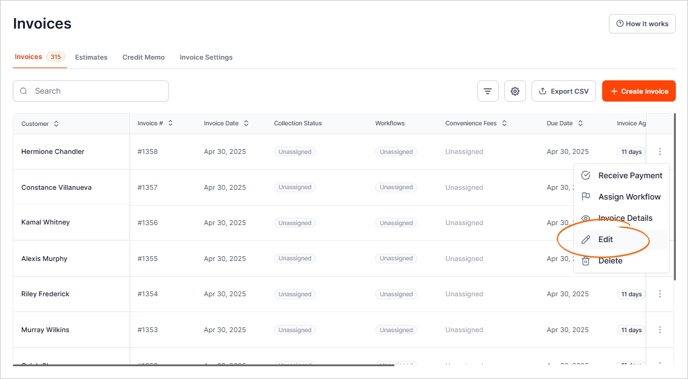
2. Click the three dots icon and select Edit on the invoice you want to void.
3. You can also click the invoice number to view the invoice.
4. Click More and select Void.
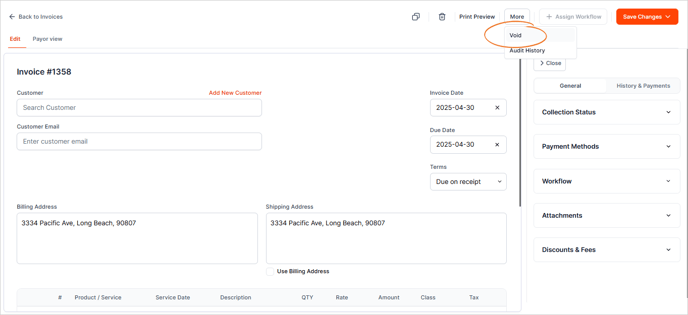
5. Performing this action will set the Due Amount to zero and Invoice Status to "Voided."