![cc5404e7b75e6d484a23b7d9f19a2774.png]](https://support.arworkflow.com/hs-fs/hubfs/cc5404e7b75e6d484a23b7d9f19a2774.png?height=50&name=cc5404e7b75e6d484a23b7d9f19a2774.png)
The Emails tab is unique in that it is customized to you. The Inbox, Sent, Draft, and Archive pages show only emails that pertain to customers you are assigned to as an AR Specialist.
However, there are times when you need to check on emails for other teammates.
To review emails for all customers, regardless of who is assigned as the AR Specialist, navigate to the All Inboxes page in the Emails tab.

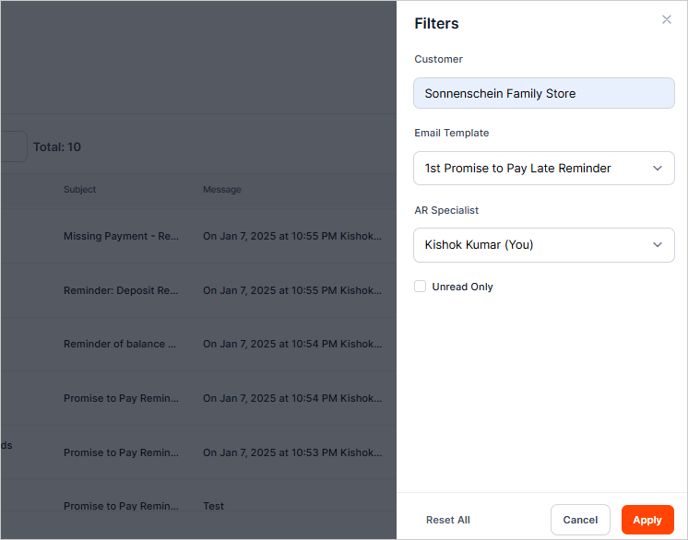
To filter the All Inbox list, click the Filters button and select the filters you want to apply. Once done, click the Apply button to apply the filter to the list.