![cc5404e7b75e6d484a23b7d9f19a2774.png]](https://support.arworkflow.com/hs-fs/hubfs/cc5404e7b75e6d484a23b7d9f19a2774.png?height=50&name=cc5404e7b75e6d484a23b7d9f19a2774.png)
Set up email notifications on a user by user basis to be notified regarding:

User edits are limited to Owner and Admin user profiles.
If you are unable to see the Users tab, or unable to make edits within the user tab, contact an Admin user within the office.
1. Find your business name and choose Users.

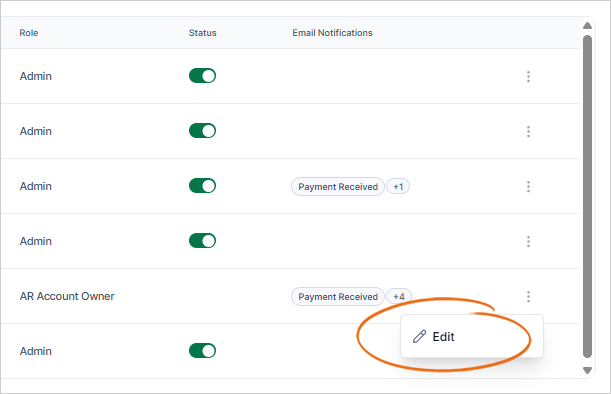
2. Click the three-dots icon of the user you wish to configure.

3. Click Edit.
4. Modify the Email Notification Settings.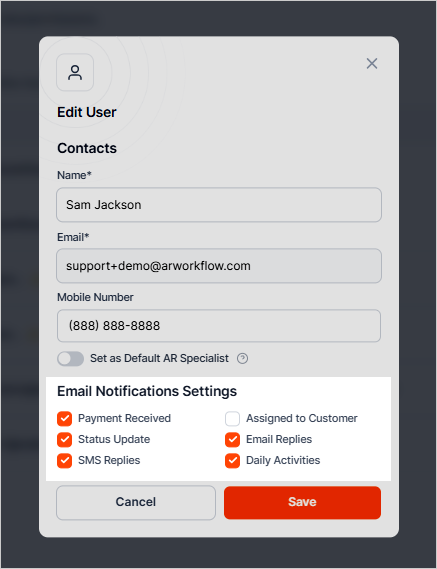
5. Click the Save button to save the change you've made.