![cc5404e7b75e6d484a23b7d9f19a2774.png]](https://support.arworkflow.com/hs-fs/hubfs/cc5404e7b75e6d484a23b7d9f19a2774.png?height=50&name=cc5404e7b75e6d484a23b7d9f19a2774.png)
With our flexible pricing plans, there’s a solution for every budget and need.
Pricing varies based on the number of invoices your office currently has open.
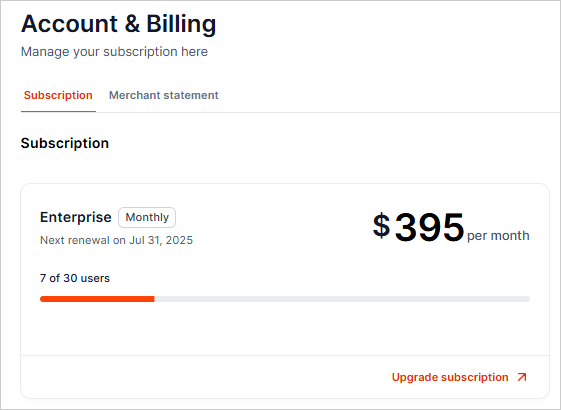
To upgrade your subscription plan,
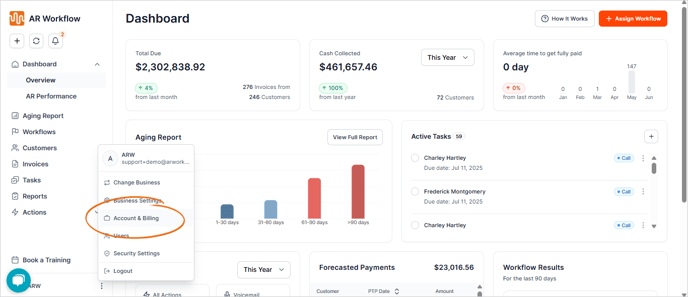
1. Click the three-dots icon and choose Account & Billing.
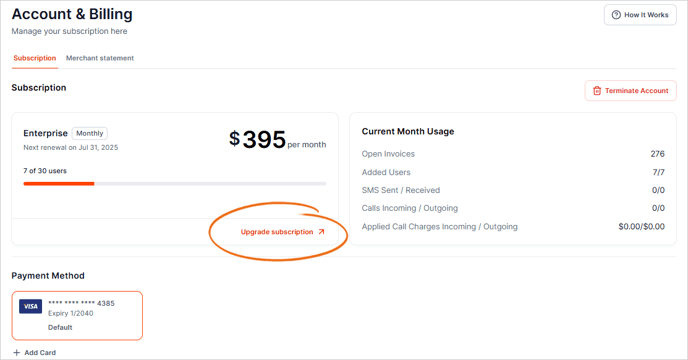
2. Select the Upgrade Subscription button.
3. Then, pick the plan of your choice.
Only plans that match the number of open invoices will be available. If your account has over 50 open invoices, only Advanced and Enterprise will be available. If your account has over 100 open invoices, only Enterprise will be available.

4. Click Confirm to proceed.
Once your payment is confirmed, your plan will be upgraded in real-time.