![cc5404e7b75e6d484a23b7d9f19a2774.png]](https://support.arworkflow.com/hs-fs/hubfs/cc5404e7b75e6d484a23b7d9f19a2774.png?height=50&name=cc5404e7b75e6d484a23b7d9f19a2774.png)
The Business Type section contains information about the Industry Type as well as the year of formation.
This information can only be edited by Owner and Admin user levels.
If your account is locked for editing, send a message to the Customer Support team and we can temporarily provide edit access.
1. Click the three-dots icon and choose Business Settings.
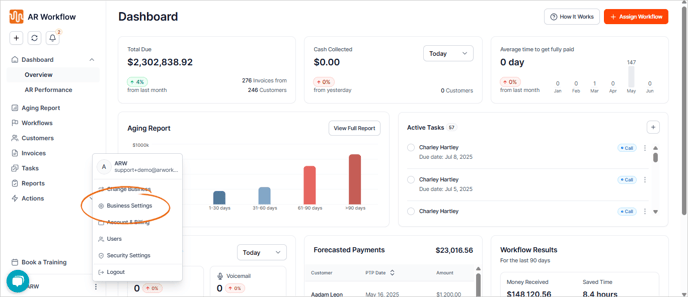
2. Navigate to the Business Profile tab.
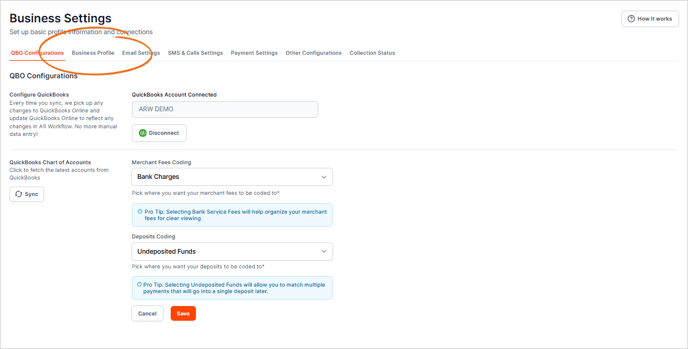
3. Update your business's Industry Type and Category (MCC).
If you aren't sure what to put here, you can check your latest tax returns or ask your CPA.

4. To update the date it was formed, use the corresponding drop-down list.

5. Once you are done, click Save.