![cc5404e7b75e6d484a23b7d9f19a2774.png]](https://support.arworkflow.com/hs-fs/hubfs/cc5404e7b75e6d484a23b7d9f19a2774.png?height=50&name=cc5404e7b75e6d484a23b7d9f19a2774.png)
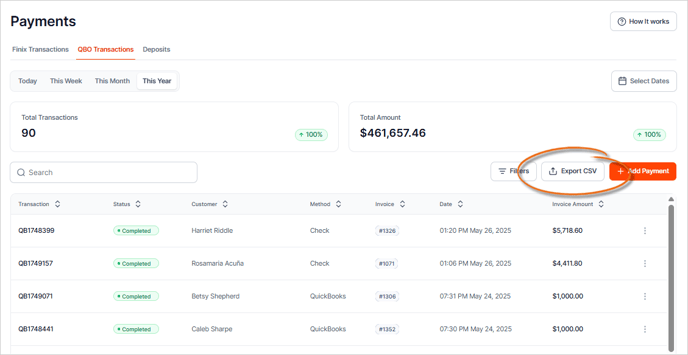
The Transactions section displays all detail for each transaction.
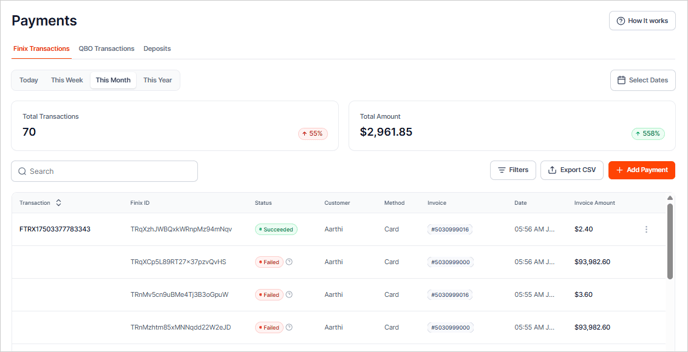
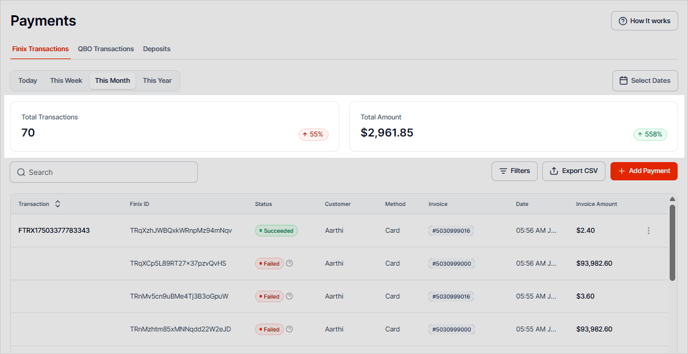
You can sort the data in ascending or descending order by clicking on the arrow keys next to each header. Example: You can sort the method to view if the payment was made using QuickBooks, Check, Credit Card, etc.

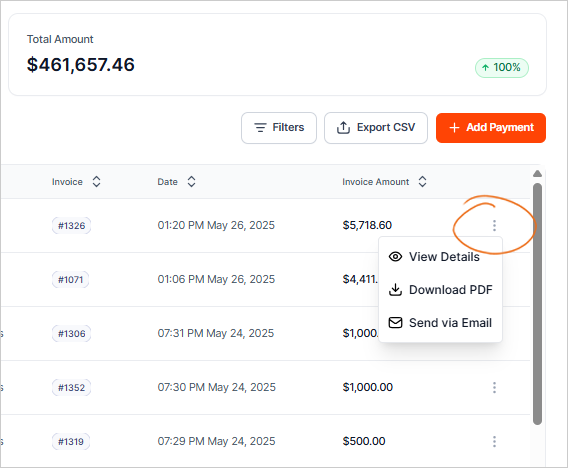
Click the Three-Dots icon to View Transaction Details, Download a PDF, Email the Details, or initiate a Refund.
To filter the results, use the Filter button and select the filters you want to apply. Once done, click Apply.

To remove a filter, click the selected checkbox.

If you want to remove all filters, click the Filter icon and hit the Reset button.

Click the Export CSV button to download the CSV copy of your transactions.