![cc5404e7b75e6d484a23b7d9f19a2774.png]](https://support.arworkflow.com/hs-fs/hubfs/cc5404e7b75e6d484a23b7d9f19a2774.png?height=50&name=cc5404e7b75e6d484a23b7d9f19a2774.png)
System auditing is an important part of any software because it allows you to see who is performing certain actions on customer accounts.
To See All Activities:
Step 1: Click on the notification bell at the top left of your screen.

Step 2: Select "See All"
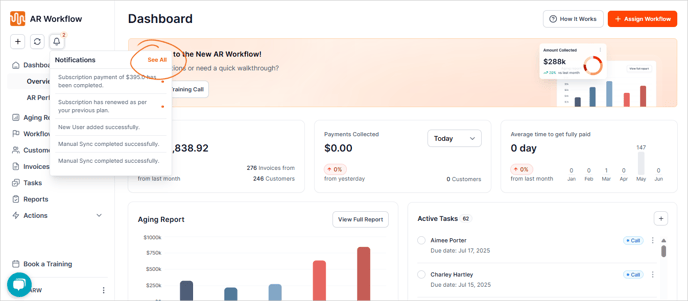
Step 3: Select the tab for "Activities".

You can view all activities performed for a specific date range by clicking the Select Dates button in the top right of the screen.

Filter results down by:
- Customer
- AR Specialist
- Event Type
To filter results, click on the Filters icon to filter by an individual category or multiple categories. Select your filter options and click on the orange "Apply" button at the bottom.
Not every item that is filtered is listed here individually. Filters are grouped into categories, such as "Added" and "Deleted". If you select "Added" and filter, you will see all added items, such as payments, invoices, customers, etc.
