![cc5404e7b75e6d484a23b7d9f19a2774.png]](https://support.arworkflow.com/hs-fs/hubfs/cc5404e7b75e6d484a23b7d9f19a2774.png?height=50&name=cc5404e7b75e6d484a23b7d9f19a2774.png)
What is a sub-customer?
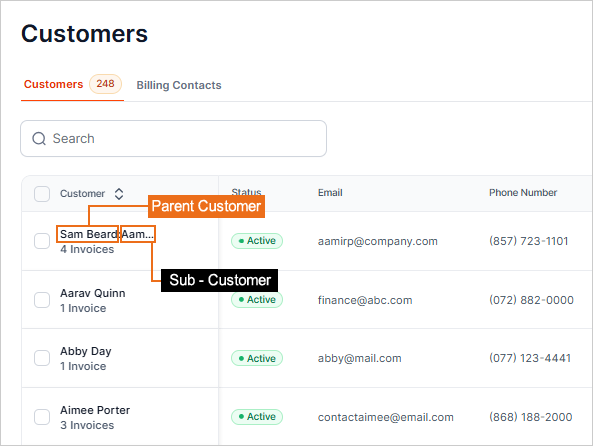
A job allows you to create a project within QuickBooks and you can track transactions specific to this job, but it is still under the main customer. A sub-customer is similar. This can be used, as an example, to track locations/franchises for a customer.
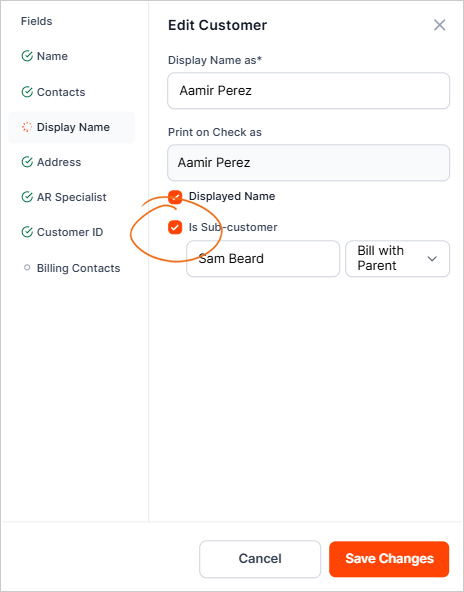
At the bottom of the Name and Contact section, you'll find the Is a Sub-Customer check box. When you check that box a drop-down appears where you select the parent customer.
Please see this article detailing what a Sub-Customer is and how to mark them in QuickBooks Online.
Select Parent Customer Message
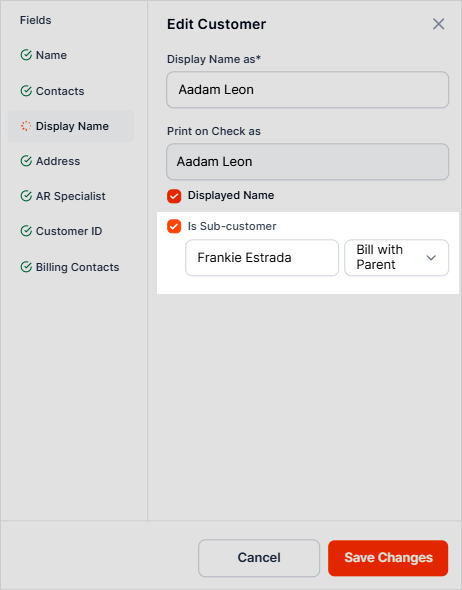
If you receive the message "Select Parent Customer" while attempting to save changes on a Customer Profile, it will be due to the "Is sub-customer" checkbox being checked, however, no Parent customer is listed.
To resolve this, either uncheck the Is sub-customer checkbox (if this customer is not tied to a Parent customer), or search the name of the parent customer to connect the two.