![cc5404e7b75e6d484a23b7d9f19a2774.png]](https://support.arworkflow.com/hs-fs/hubfs/cc5404e7b75e6d484a23b7d9f19a2774.png?height=50&name=cc5404e7b75e6d484a23b7d9f19a2774.png)
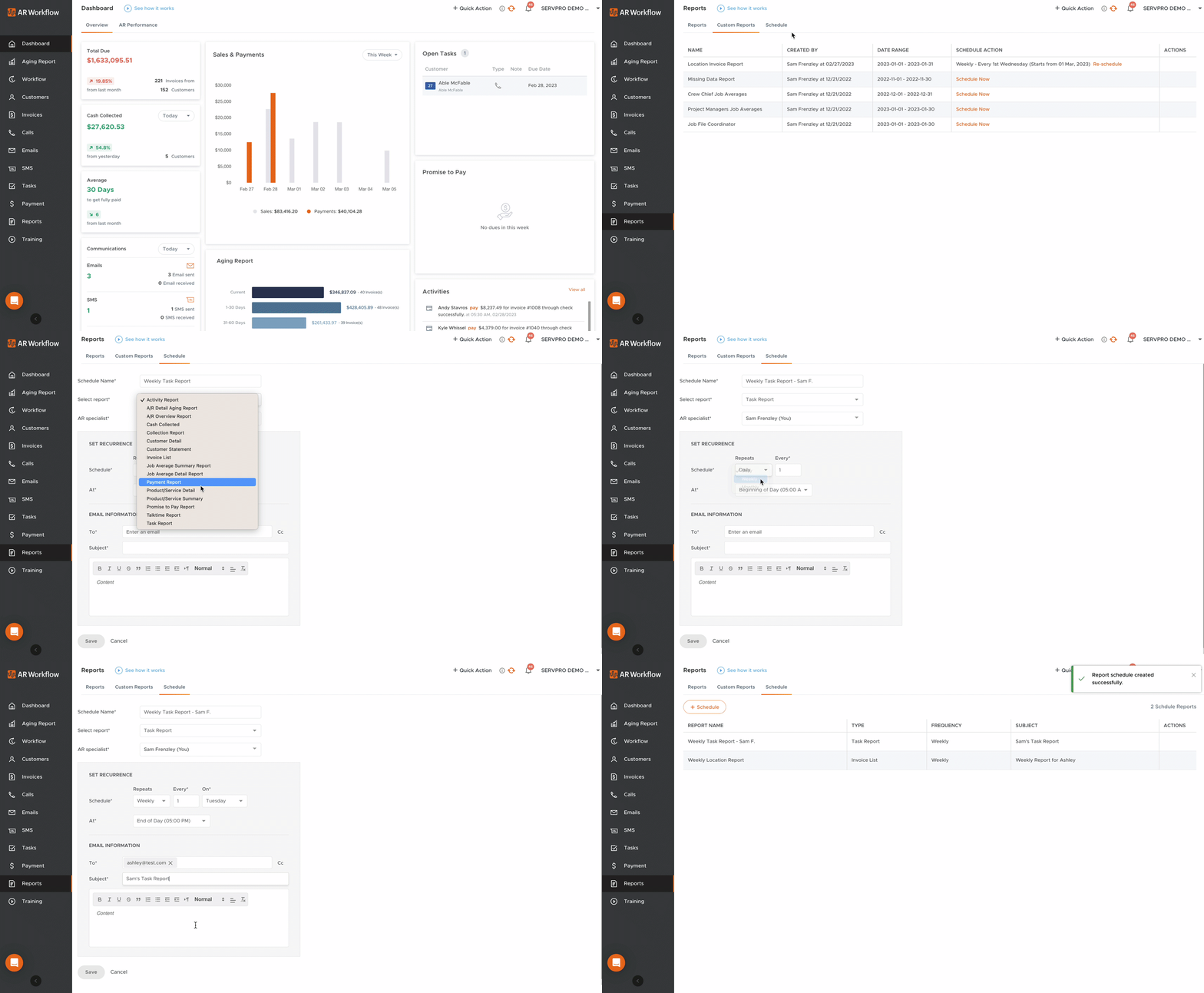
There are 2 ways to schedule a report in AR Workflow:
-
Schedule a Custom Report that you've created from the Custom Reports tab.
-
Schedule a fresh report from the Schedule tab.
To create a new Report Schedule, click the + Schedule button from the Schedule tab in the Reports Section or select Schedule from the Custom Reports tab.
