![cc5404e7b75e6d484a23b7d9f19a2774.png]](https://support.arworkflow.com/hs-fs/hubfs/cc5404e7b75e6d484a23b7d9f19a2774.png?height=50&name=cc5404e7b75e6d484a23b7d9f19a2774.png)
Customers can never be fully deleted and can be easily accessed by filtering the customer list to show inactive entries. Once they appear in the list, you can edit their details as needed.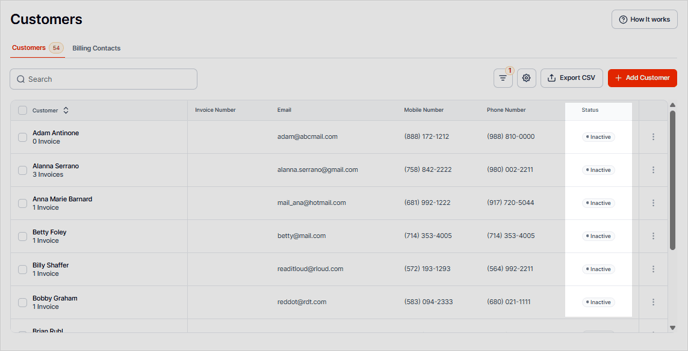
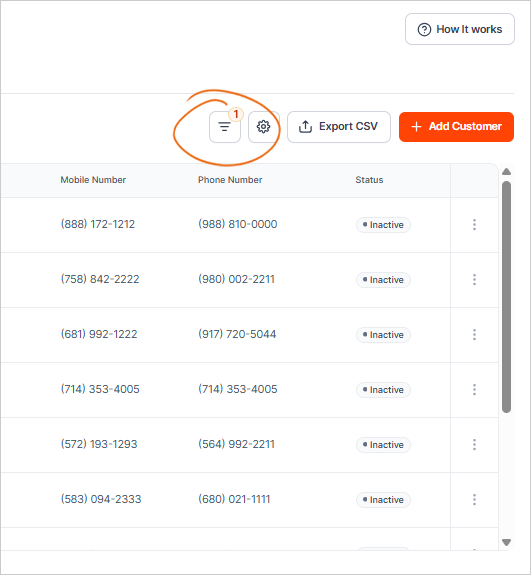
You can sort the customer list by using the Filters tool and enabling the Inactive status to view customers who are no longer active.
You're in luck! Did you know that customers can never be deleted from QuickBooks Online? They are actually deactivated and can be reactivated at any time.
In order to make edits to a customer in AR Workflow, they must be active in QBO. Follow the steps below to reactivate the customer to make any edits needed:
-
Select Sales or Invoicing from the left menu.
-
Select Customers at the top.
-
At the top of the customer list, click the small gear and select Include Inactive.
-
Click the customer you wish to restore; inactive customers will be noted as (deleted).
-
Click the Make Active button next to the customer name.


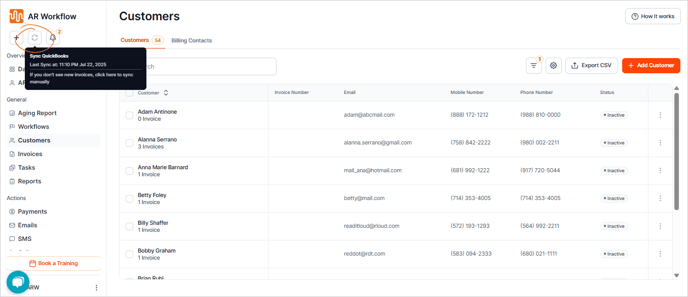
Once the customer is activated, you can make the demographic edits in either software. If you don't see the customer as active in AR Workflow, refresh the QBO >> AR Workflow sync at the top of the AR Workflow screen.