![cc5404e7b75e6d484a23b7d9f19a2774.png]](https://support.arworkflow.com/hs-fs/hubfs/cc5404e7b75e6d484a23b7d9f19a2774.png?height=50&name=cc5404e7b75e6d484a23b7d9f19a2774.png)
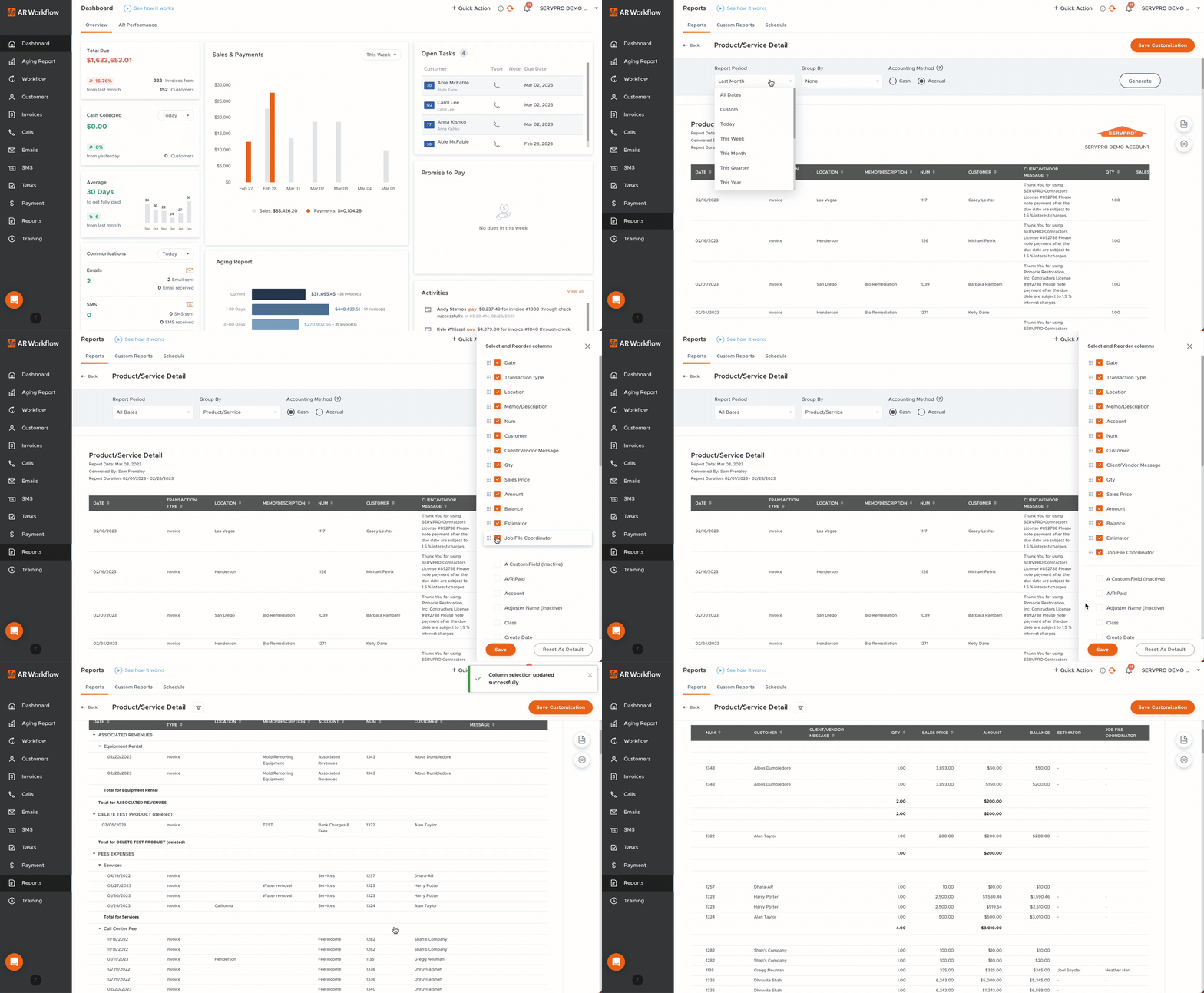
Run a Product/Service report for a selected time frame to see which products and/or services were rendered, how much they were sold for and so much more! Choose from details such as:
-
Date.
-
Transaction Type.
-
Location.
-
Client/Vendor Message.
-
Statement Message.
-
Sales Price.
-
Quantity.
-
Open Balance.
-
Last Modified.
-
Any custom fields.

Group this report in the format that best suits your needs, by items such as:
-
Product/Service.
-
Class.
-
Account.
-
Customer.
-
Transaction Type.
Select which accounting method you'd like to see in the report.
-
Cash: Choose cash to include only money you've paid or received.
-
Accrual: Choose accrual to include open invoices and bills in the report as well.