![cc5404e7b75e6d484a23b7d9f19a2774.png]](https://support.arworkflow.com/hs-fs/hubfs/cc5404e7b75e6d484a23b7d9f19a2774.png?height=50&name=cc5404e7b75e6d484a23b7d9f19a2774.png)
AR Workflow's outgoing call experience has been enhanced with a new tabbed Call Modal that gives your team two ways to place a call — and smarter contact matching to ensure calls are always logged under the right customer name.
The New Call Modal
When placing an outgoing call in AR Workflow, a tabbed Call Modal will appear with two options:
-
Select Customer — Choose from your existing customers in AR Workflow and place the call directly from their record. The call will automatically be associated with the selected customer.
-
Enter Number — Manually enter any phone number and place a call directly. This is useful when calling a number that may not be saved in AR Workflow or when reaching out to a contact outside your existing customer list.
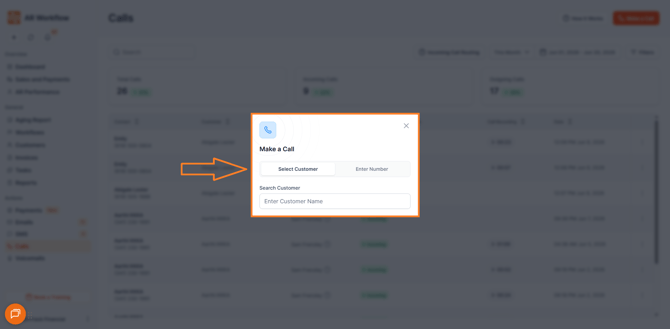
Contact Matching When Entering a Number
When you use the Enter Number option, AR Workflow automatically checks whether the number you entered matches any existing contacts in the system.
If a match is found, the matching contact or contacts will be displayed for you to review before placing the call. You can then select the appropriate contact to associate with the call — ensuring it is logged under the correct customer name rather than as "Unknown Number."
If multiple contacts share the same phone number, all matching contacts will be displayed and you can select the correct one before proceeding.
If no matching contact is found or no contact is selected, the call will proceed as "Unknown Number."
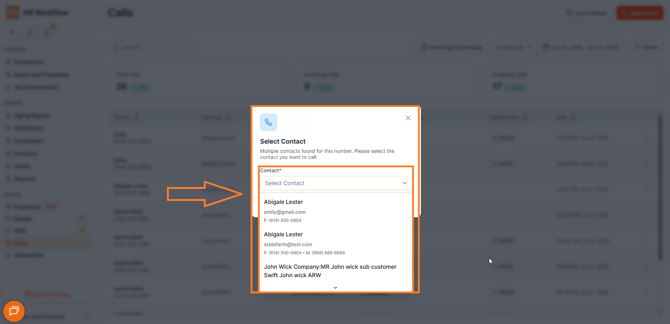
Where the New Call Experience is Available
The new tabbed call modal is available across the following areas of AR Workflow:
-
Quick Action — Access the call modal directly from the quick action menu.
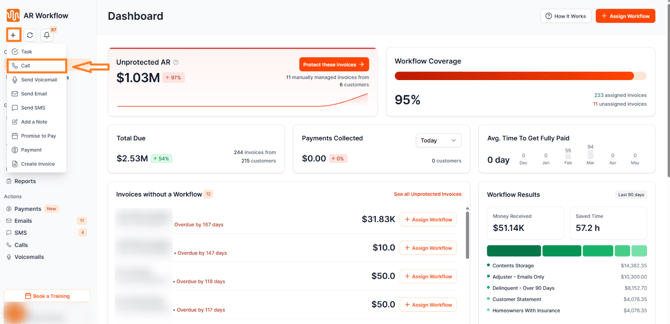
-
Call Page — Place calls from the dedicated Call page within AR Workflow.
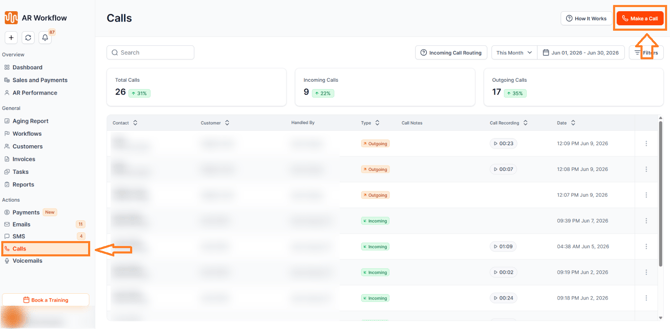
-
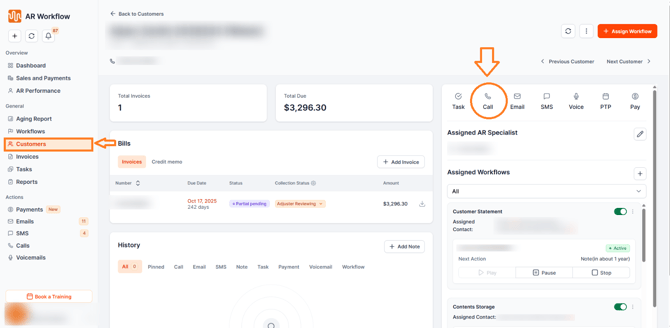
Customer Page — Place calls directly from an individual customer's profile page.
Why This Matters
Previously, calls placed to numbers not directly associated with a customer in AR Workflow would show as "Unknown Number" — making it difficult to track call history and associate outbound activity with the right customer record. With automatic contact matching, your team can now ensure every call is properly identified and logged, keeping your customer activity history accurate and complete.
Need Help?
If you have questions about placing outgoing calls or need help with contact matching, reach out to AR Workflow Support at support@arworkflow.com.