![cc5404e7b75e6d484a23b7d9f19a2774.png]](https://support.arworkflow.com/hs-fs/hubfs/cc5404e7b75e6d484a23b7d9f19a2774.png?height=50&name=cc5404e7b75e6d484a23b7d9f19a2774.png)
Payment Plans allow your team to split outstanding invoice balances into recurring installments and automatically collect scheduled payments from customers using either ACH or Credit Card. Instead of chasing a single large payment, you can establish a structured schedule that works for both your business and your customer — while AR Workflow handles the automation.
What Are Payment Plans?
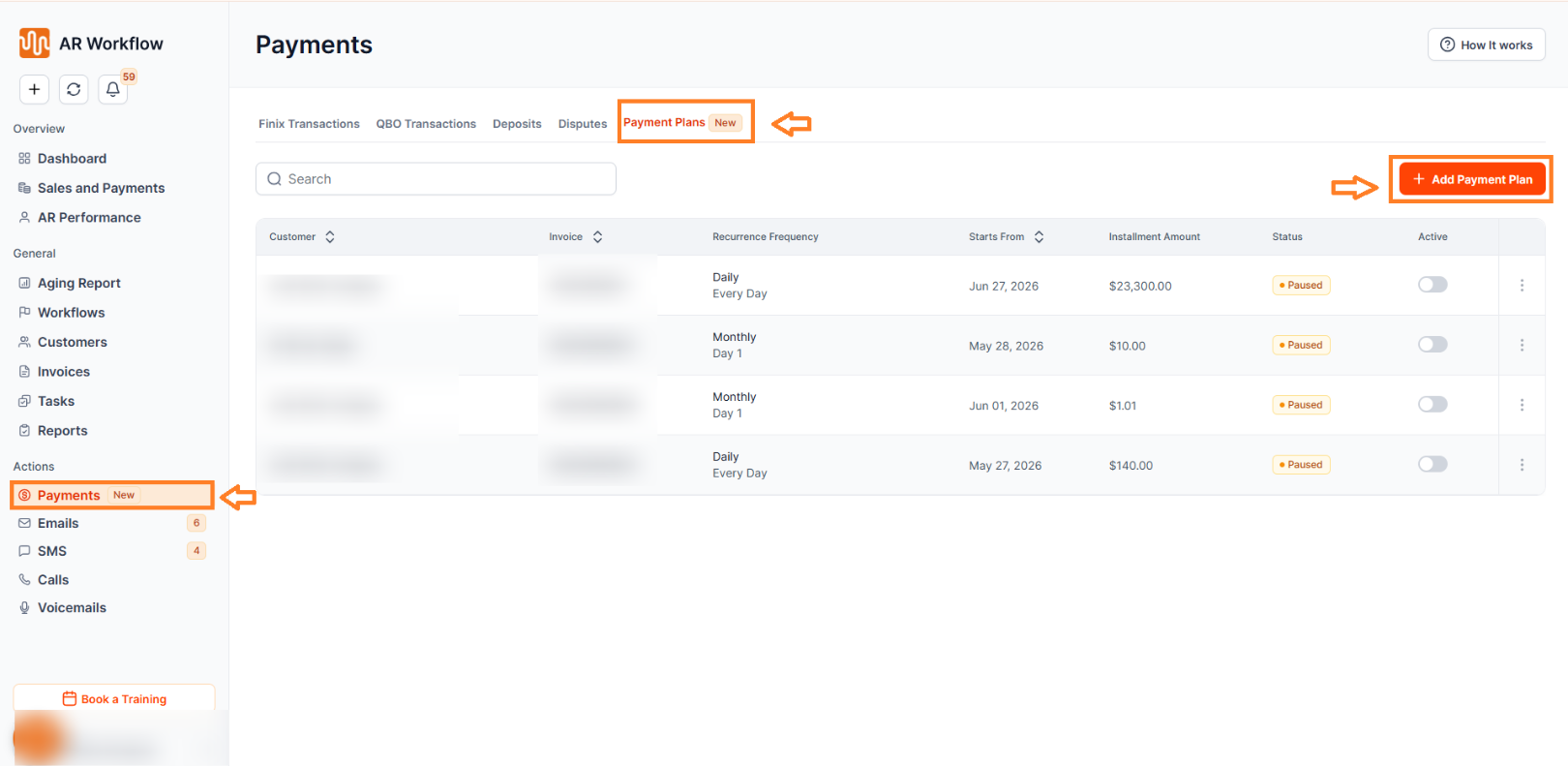
Payment Plans allow you to split outstanding invoice balances into recurring installments, automatically collect scheduled payments from customers, track payment schedule progress and statuses, pause or resume recurring collections at any time, and monitor upcoming customer commitments directly inside AR Workflow.
Where to Find Payment Plans
To access the feature, navigate to Payments, hover over Payment Plans, and click Add Payment Plan.
Creating a Payment Plan
When creating a payment plan, you will configure the following:
Customer Information — Select the customer associated with the payment plan.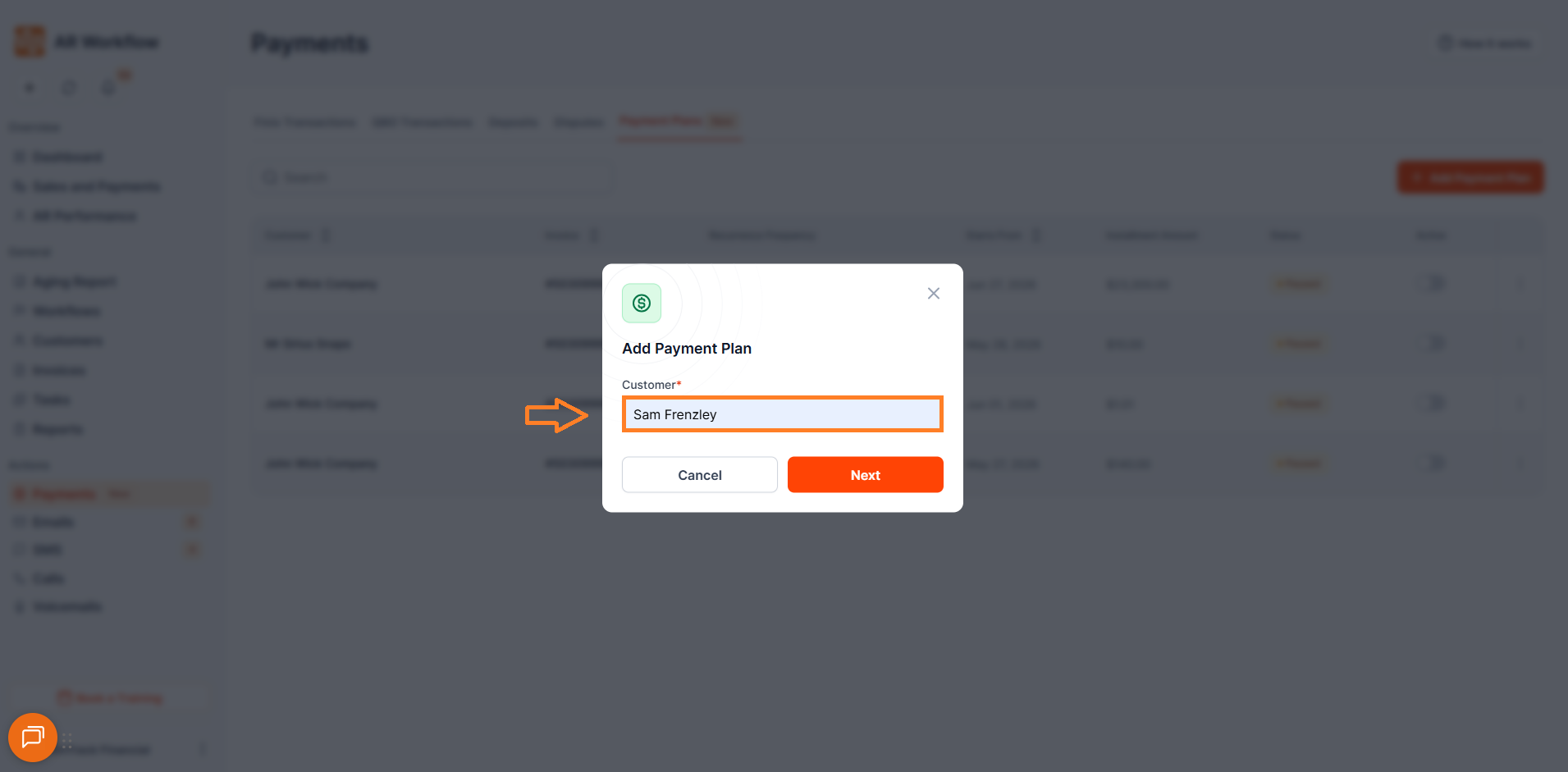
Payment Method — Choose how installment payments will be collected. AR Workflow currently supports ACH and Credit Card.
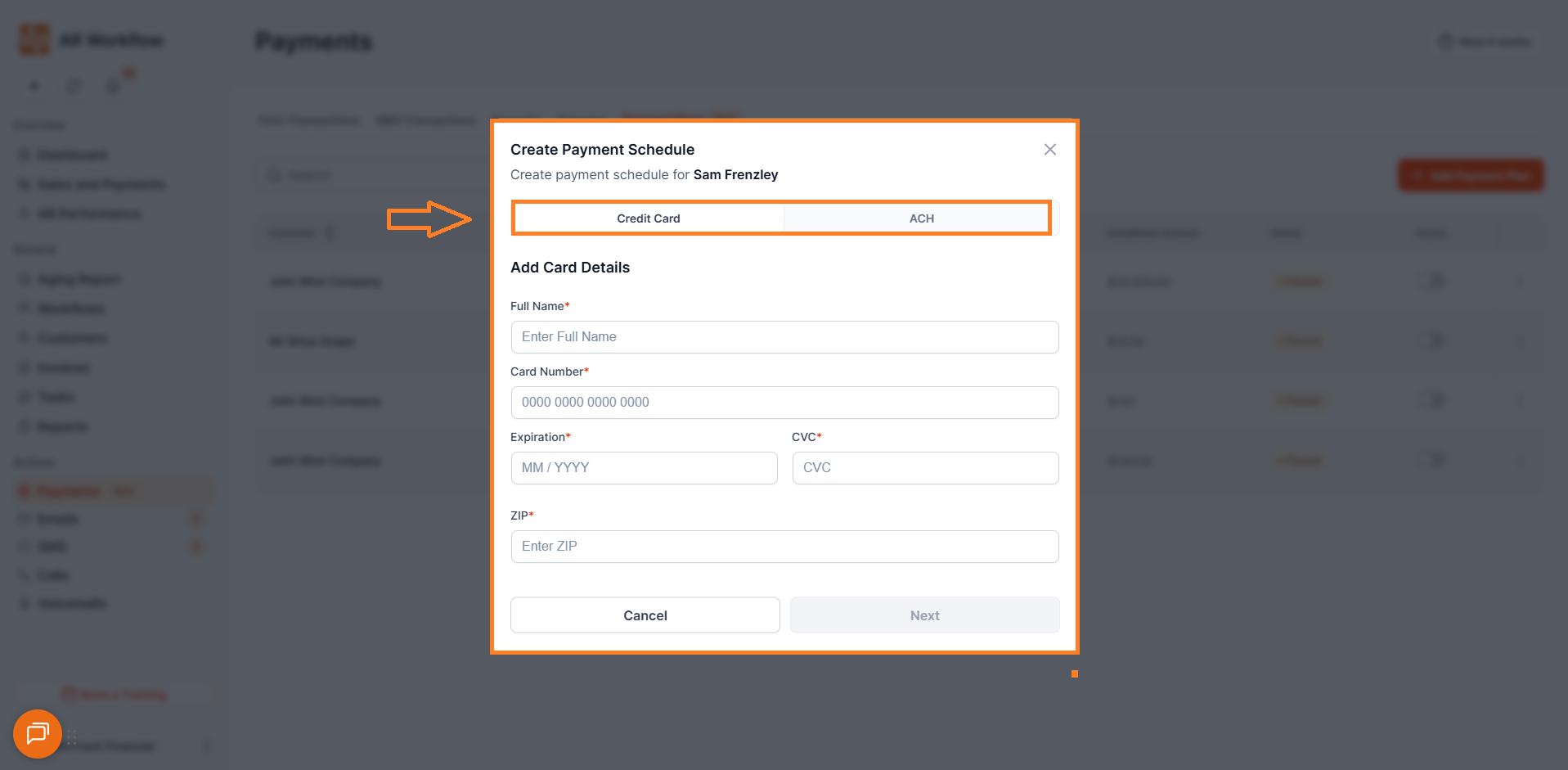
Invoice Selection — Choose a single outstanding invoice to include in the installment schedule. Please note that only one invoice can be selected per payment plan.
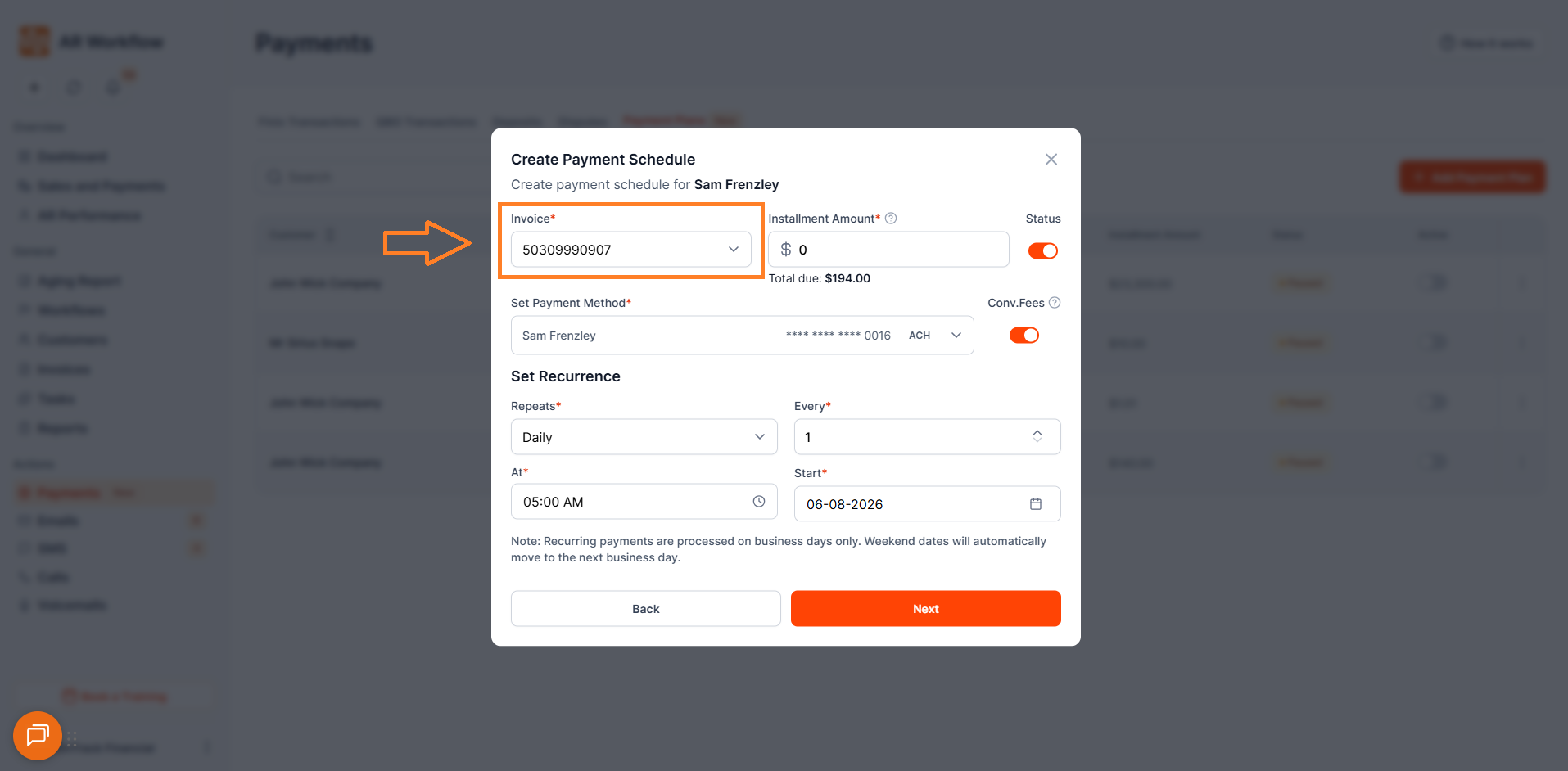
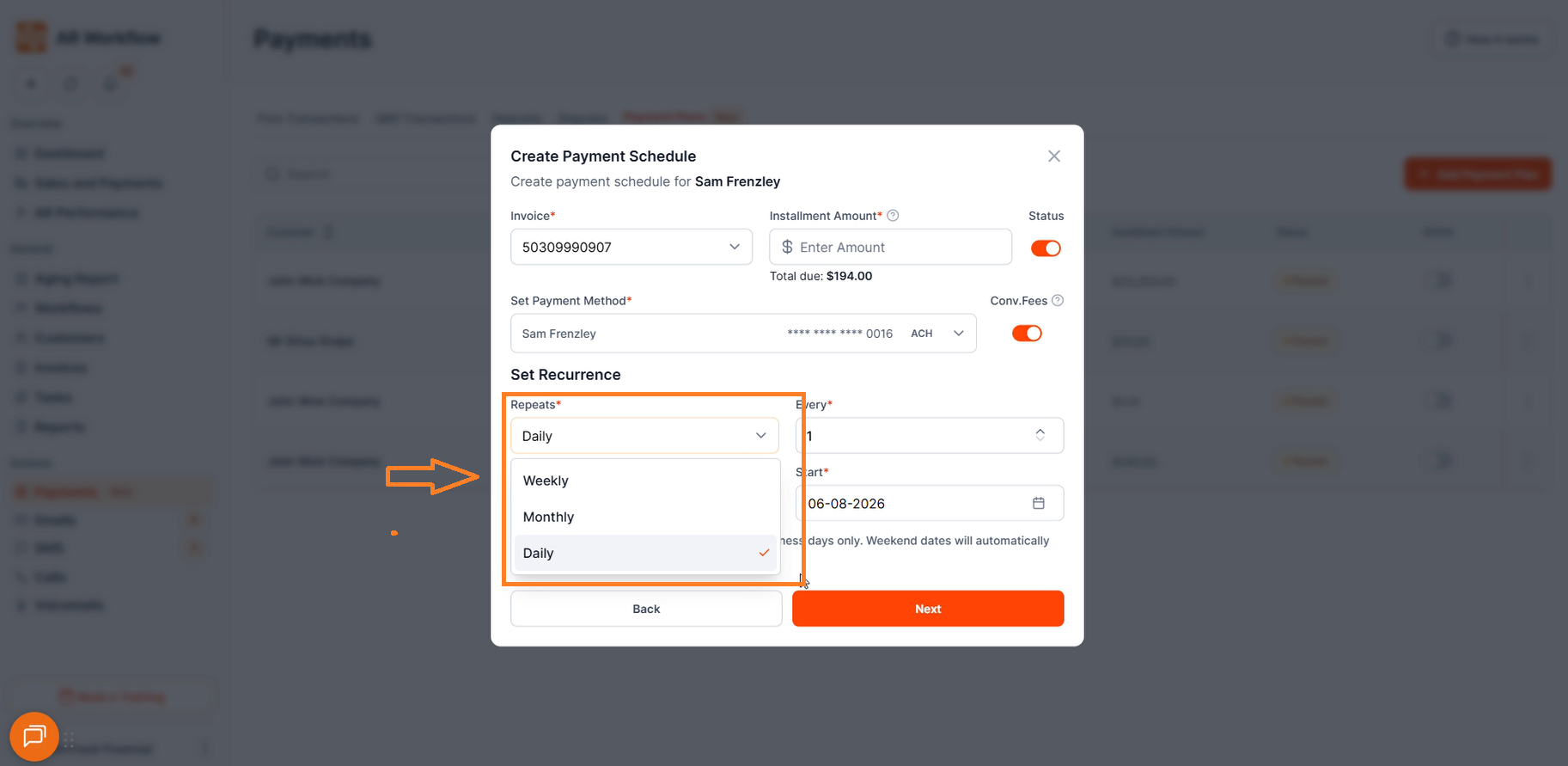
Recurrence Options — Select how frequently installments will be collected. AR Workflow currently supports Daily, Weekly, and Monthly installments. The system automatically generates the full future payment schedule based on the recurrence pattern selected.
Convenience Fee
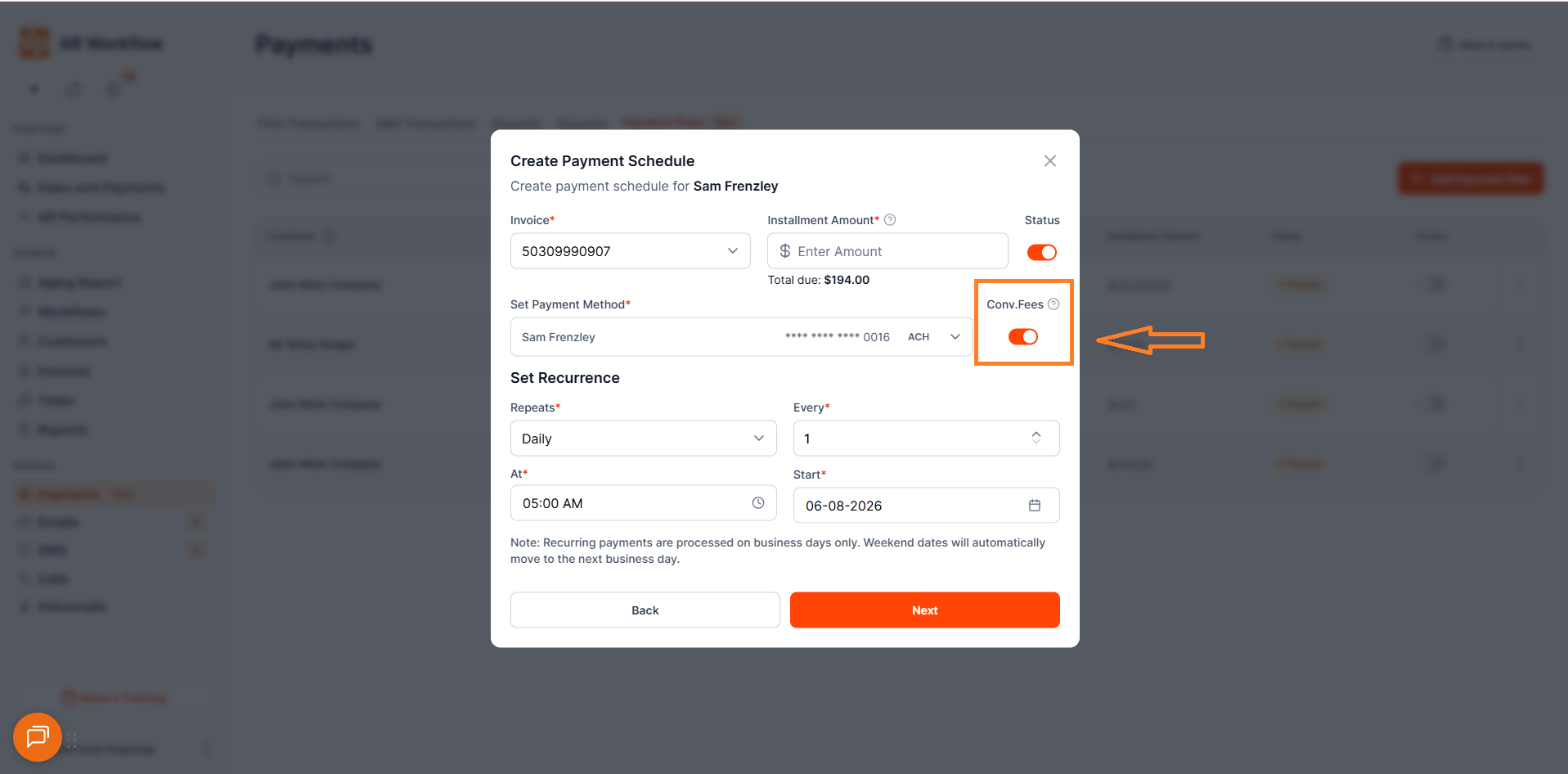
AR Workflow includes a toggle that allows you to pass transaction processing charges directly to your customers. When this option is enabled, the convenience fee will be automatically added to the installment amount at the time of payment — so your business absorbs no processing cost.
The toggle can be turned on or off during payment plan setup.
Installment Schedule Preview
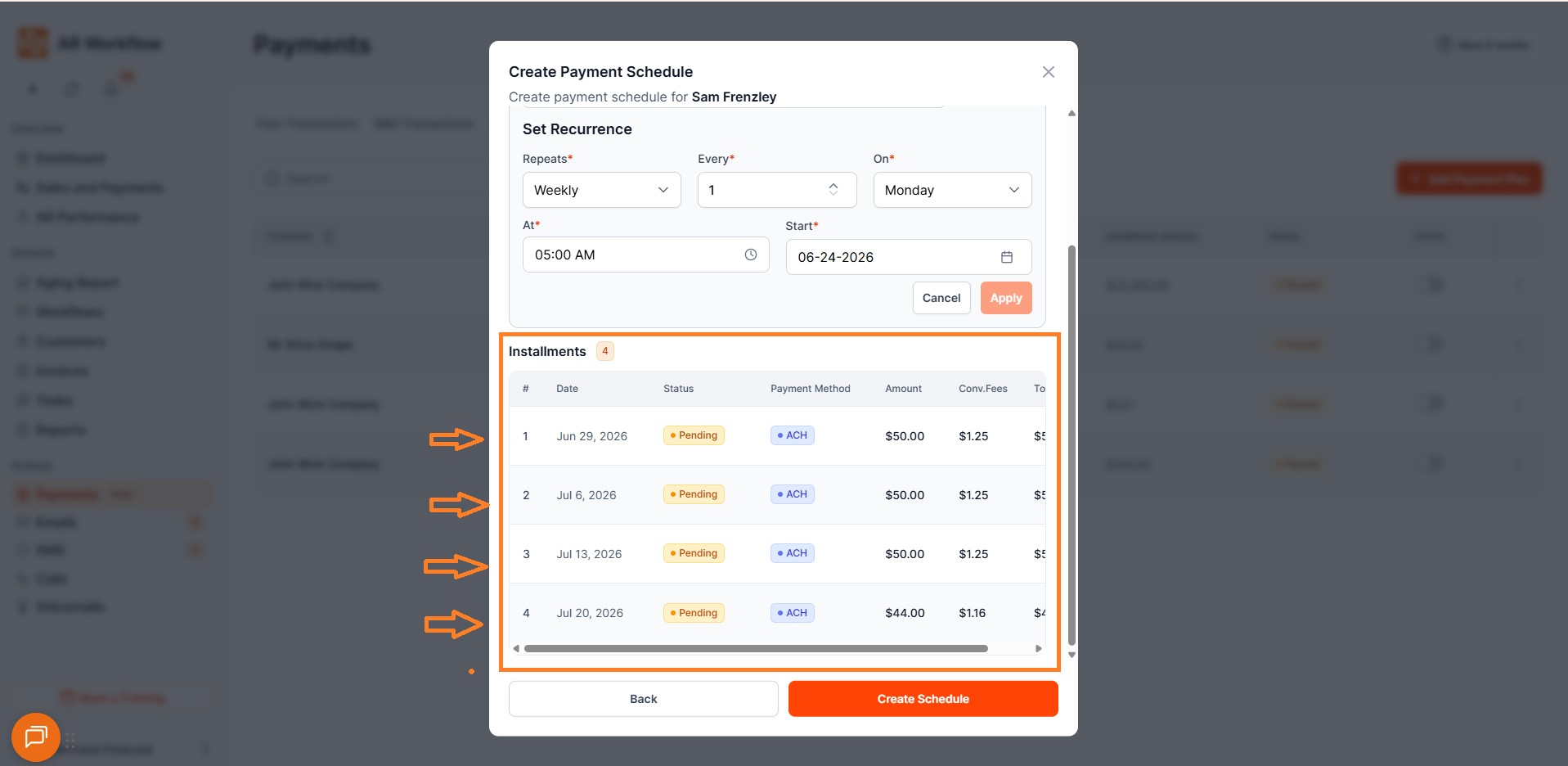
Before saving the plan, AR Workflow provides a full schedule preview showing future payment dates and installment amounts. This allows you to review the complete payment structure before activating the plan.
Important — Weekend Payment Dates
AR Workflow does not process payments on weekends. If a scheduled installment falls on a Saturday or Sunday, the payment date will automatically move to the next business day.
Payment Plan Statuses
Active — The payment plan is currently running and future installments will continue processing automatically.
Paused — Future scheduled payments are temporarily stopped until resumed.
Completed — All installments have successfully processed and the payment plan has finished.
Pause & Resume Functionality
Payment Plans can be paused at any time if adjustments are needed. When resumed, future scheduled installments will continue processing normally based on the updated schedule.
Important — Resuming After a Long Pause
If a payment plan is resumed after being inactive for an extended period, all previously scheduled installments that are now past due will become due immediately upon reactivation. Please review the schedule carefully before resuming a long-paused plan to avoid unexpected charges.
Installment Payment Statuses
Pending — Installment is scheduled but not yet processed.
Succeeded — Payment processed successfully.
Failed — Payment attempt was unsuccessful. See the Failed Payments section below for how to handle this.
On Hold — The installment is on hold because the payment schedule has been paused.
Customer Notifications
Once an installment is successfully processed, the end customer will automatically receive a notification email confirming the payment. Notifications are also available within the application under the Notifications section.
If an installment fails, the customer will also receive a notification email regarding the failed payment so they are aware and can take action.
What Happens When a Payment Fails?
If an installment transaction fails, the payment will not be retried automatically. The failed installment must be paid manually or the payment plan must be updated manually. The next scheduled installment will not result in a double charge.
To retry a failed installment, the user can process the payment manually through the existing payments flow.
What Happens If a Customer Pays Outside the Plan?
If a customer makes a partial payment through the standard payment flow, the remaining installment amounts will be recalculated and reduced accordingly in the payment schedule.
If the customer pays the full invoice amount, the system will clear the installment schedule entirely and "No Data Found" will be displayed under Scheduled Payments.
If a failed installment exists and the user later makes a manual payment, the failed transaction will still be displayed under Scheduled Payments. However, the remaining installment amounts in the schedule will be reduced accordingly.
Editing Payment Plans
If changes are made to a payment schedule, AR Workflow will dynamically recalculate future installments automatically. This includes adjusting installment amounts, modifying recurrence timing, and updating future payment dates.
Customer History & PTP Visibility
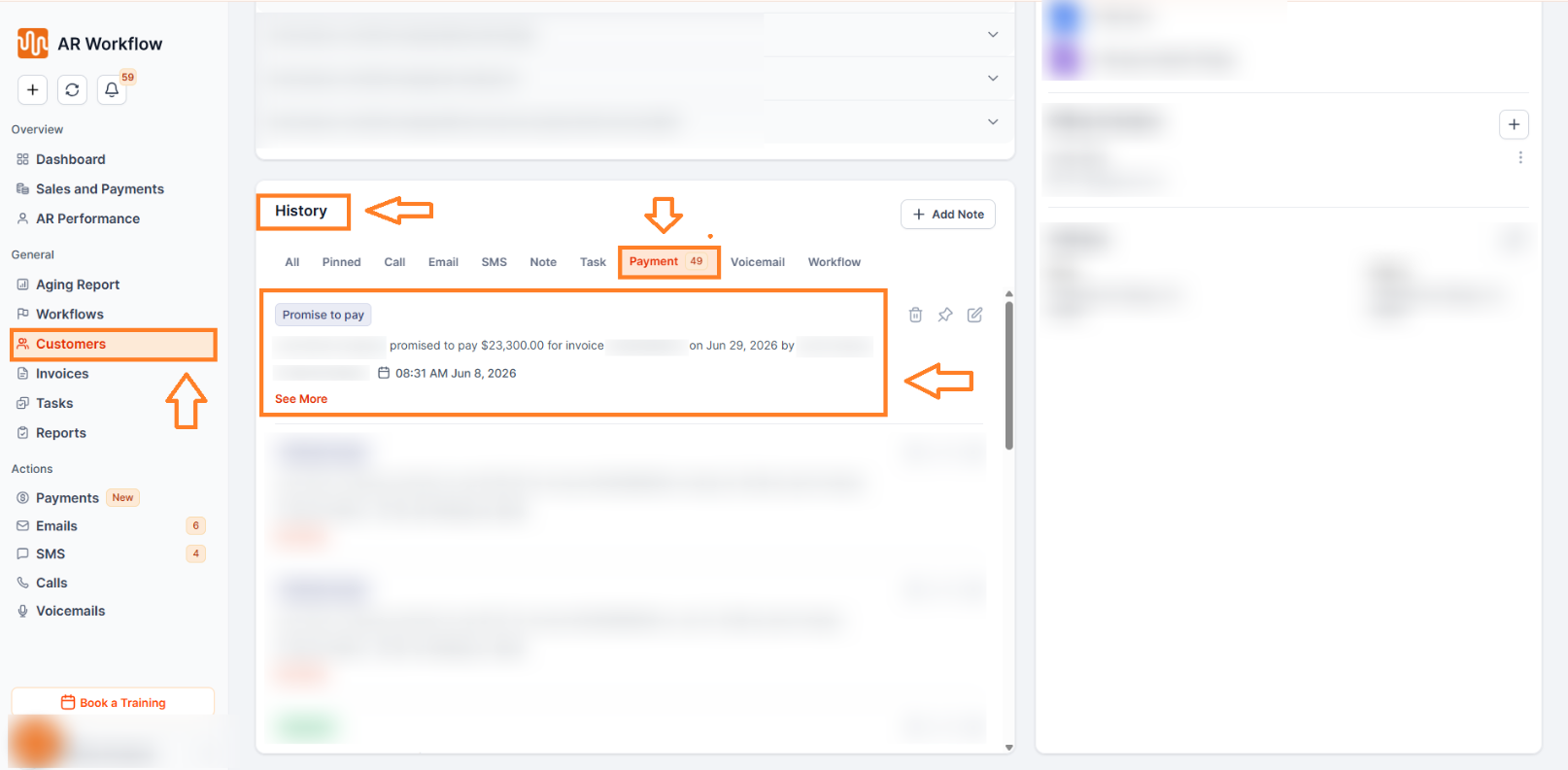
Upcoming scheduled installments appear directly inside the Customer History and Promise-to-Pay tracking areas of the customer profile. This allows your team to quickly see all future payment commitments tied to a customer without navigating away from their profile.
Invoice Dependency Handling
Payment Plans remain connected to the invoices included in the schedule. If a linked invoice is updated or deleted, AR Workflow automatically evaluates how those changes impact the associated payment schedule and adjusts accordingly.
Best Practices
Review the installment schedule preview carefully before activating a plan. Confirm that the customer's payment method is valid and up to date before scheduling. Use ACH for larger installment amounts where possible. Monitor Failed and On Hold installment statuses regularly to ensure no payments are overlooked. Review the schedule carefully before resuming a plan that has been paused for an extended period, as past-due installments will become due immediately upon reactivation.
Need Help?
If you have questions about Payment Plans or encounter unexpected behavior while creating or managing schedules, reach out to AR Workflow Support at support@arworkflow.com.