![cc5404e7b75e6d484a23b7d9f19a2774.png]](https://support.arworkflow.com/hs-fs/hubfs/cc5404e7b75e6d484a23b7d9f19a2774.png?height=50&name=cc5404e7b75e6d484a23b7d9f19a2774.png)
The AR Workflow Dashboard has been redesigned to give your team a sharper, more actionable view of your receivables. The new experience focuses on workflow visibility and AR protection — helping you instantly identify gaps in your collections automation and understand how your workflows are performing.
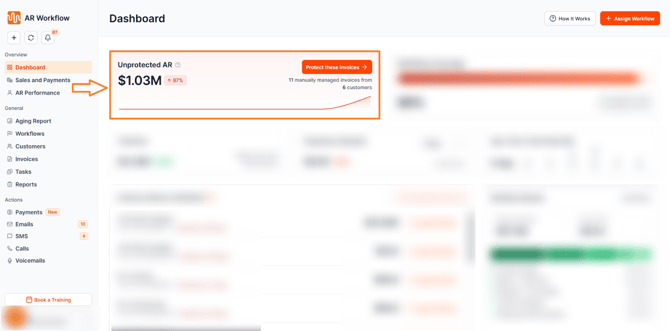
Unprotected AR Metric
The dashboard now displays a dedicated Unprotected AR metric showing the total value of invoices that are not currently covered by any workflow. Trend tracking is included so your team can monitor whether unprotected AR is increasing or decreasing over time.
This metric gives your team a clear, dollar-value picture of how much of your receivables are at risk of going without automated follow-up — making it easier to prioritize workflow assignments and close coverage gaps before invoices go overdue.
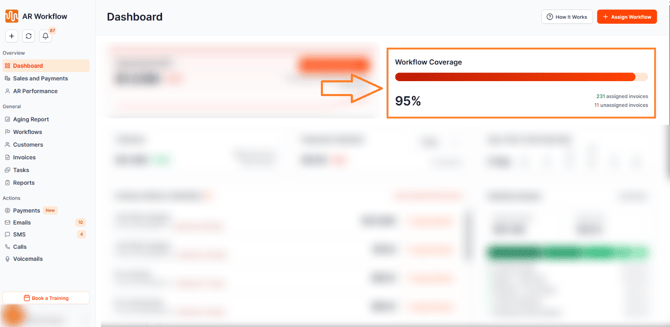
Workflow Coverage Indicator
A new Workflow Coverage indicator is now visible on the dashboard, showing the percentage of your total AR that is currently protected by an active workflow. This gives your team an at-a-glance health check of your collections automation — and a clear target to work toward.
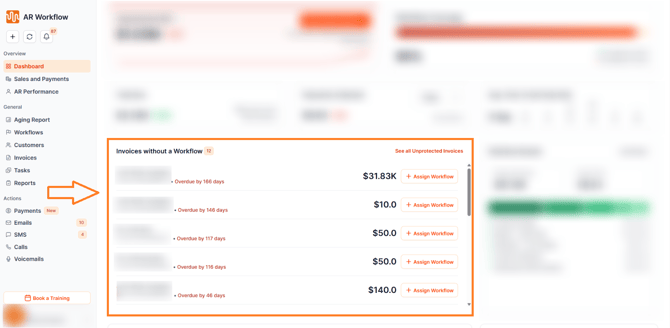
Invoices Without a Workflow Queue
A dedicated queue now surfaces all invoices that have not been assigned to a workflow. Each invoice in the queue includes a quick Assign Workflow action so your team can act immediately — directly from the dashboard — without navigating away.
Every invoice without a workflow is a missed opportunity for automated follow-up. This queue ensures nothing slips through unprotected.
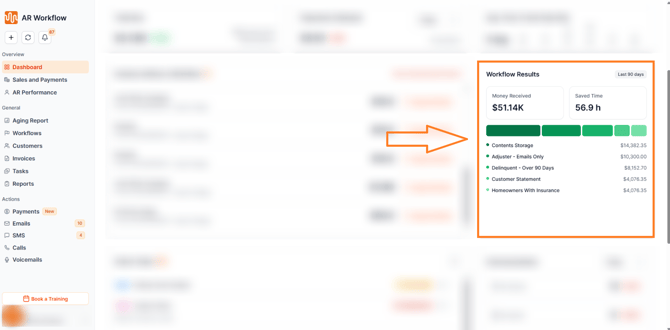
Improved Workflow Results
The Workflow Results section of the dashboard has been enhanced with improved reporting and performance insights. Your team can now get a clearer picture of how each workflow is contributing to collections — helping you identify what is working, what needs optimization, and where to focus your automation strategy.
Why This Matters
The new dashboard puts the most important information front and center — not buried in reports or scattered across multiple pages. With workflow coverage, unprotected AR, and performance insights all visible in one place, your team can make faster, more informed decisions every single day.
Need Help?
If you have questions about the new dashboard or any of its features, reach out to AR Workflow Support at support@arworkflow.com.