![cc5404e7b75e6d484a23b7d9f19a2774.png]](https://support.arworkflow.com/hs-fs/hubfs/cc5404e7b75e6d484a23b7d9f19a2774.png?height=50&name=cc5404e7b75e6d484a23b7d9f19a2774.png)
Important: Step 1 for using the inbound/outbound call feature is to reserve your virtual phone number in AR Workflow Business Settings. This action can be completed by an Owner or Admin user profile.
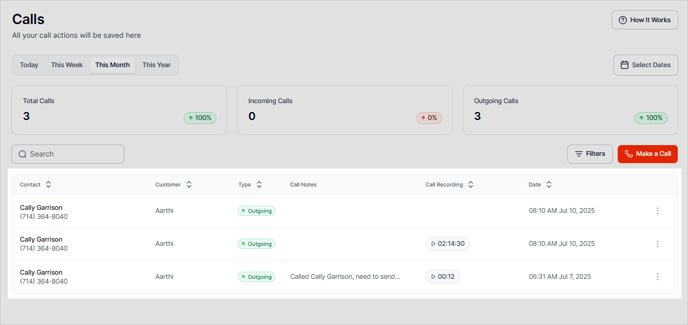
Regardless of where you initiate an outbound call, the steps are the same. Make a call from the
-
Calls Tab
-
Customer Details Page
-
+ Quick Action Drop-Down
Making an Outbound Call
If calling from the Call Tab or + Quick Action drop-down, step 1 will be to search for the Customer.

Verify the number if it's correct. If not, use the dial pad to enter a different phone number.

Add notes to the call using the Add Notes feature before making the call or during the active call.
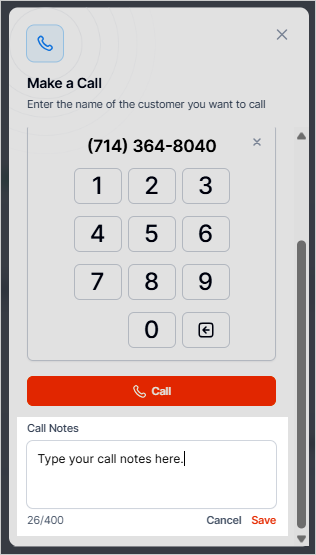
When you're ready to call the customer, select the Make a Call button.

Calls are recorded and added to the Customer Details page as well as the Calls tab.