![cc5404e7b75e6d484a23b7d9f19a2774.png]](https://support.arworkflow.com/hs-fs/hubfs/cc5404e7b75e6d484a23b7d9f19a2774.png?height=50&name=cc5404e7b75e6d484a23b7d9f19a2774.png)
This article will review:
-
Edit or Update a Product/Service
-
Deactivate (or Reactivate) a Product/Service
Edit or Update a Product/Service
1. Navigate to the Invoices tab.

2. Go to Invoice Settings.

3. Then go to the Products & Services tab.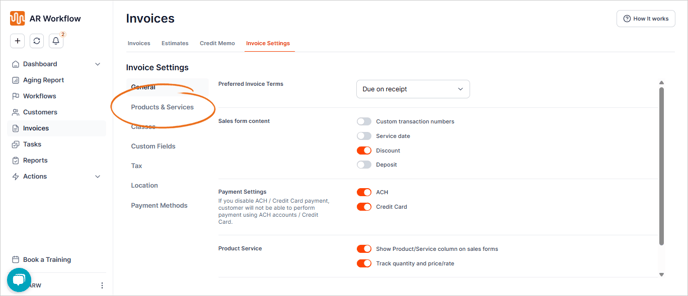
4. Click the three dots icon and choose Edit on the product or service you wish to edit.

5. Make the necessary changes.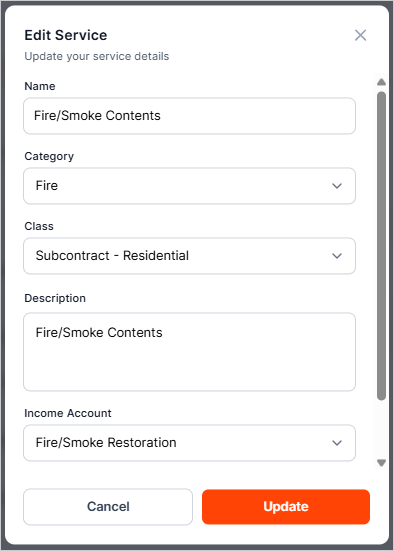
6. Once done, click Update.
Deactivate or Reactivate a Product/Service
1. From the Products & Services tab, click the three dots and select Make Inactive from the list of the product or service you wish to activate or deactivate.

2. Select the option for Make Inactive or Make Active.
Note: Deactivating a Product/Service does not permanently delete it. It will remove the item from the active Products/Services list
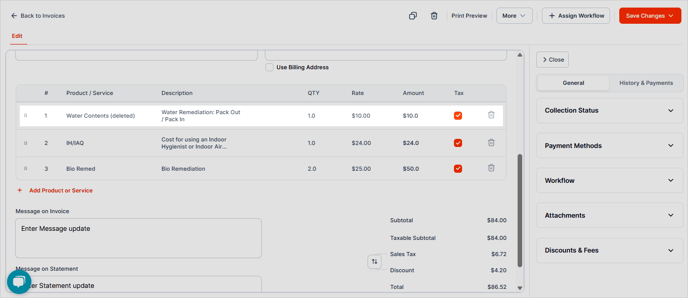
If this Product/Service has been used in an invoice, you will notice the word "Deleted" on the line item going forward.