![cc5404e7b75e6d484a23b7d9f19a2774.png]](https://support.arworkflow.com/hs-fs/hubfs/cc5404e7b75e6d484a23b7d9f19a2774.png?height=50&name=cc5404e7b75e6d484a23b7d9f19a2774.png)
To edit the details of a class, follow these steps:
1. Navigate to the Invoices tab.
2. Go to Invoice Settings.
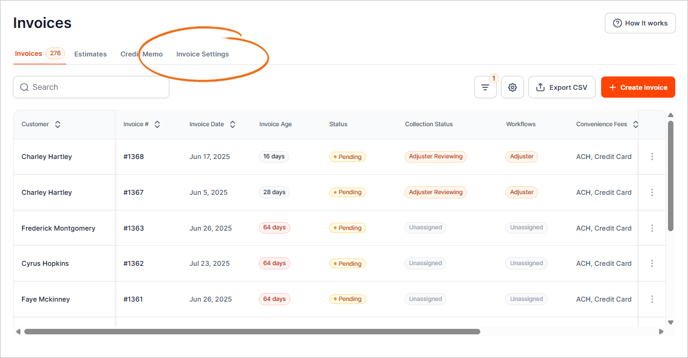
3. Navigate to the Classes tab.

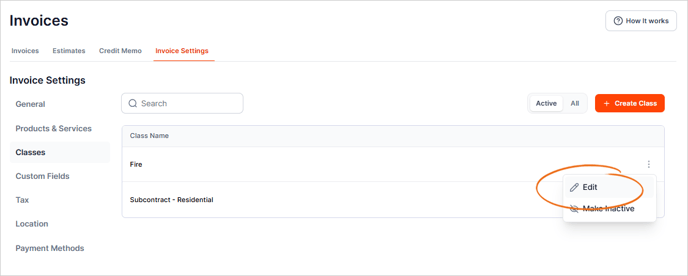
4. On the Class that you want to edit, click the three-dots icon and select Edit from the list.
Pro Tip: Use the Search box to quickly find the Class you wish to edit.
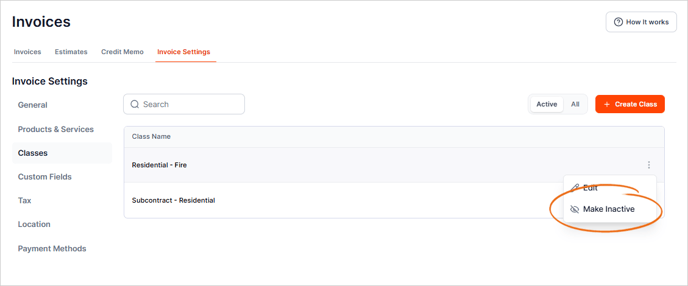
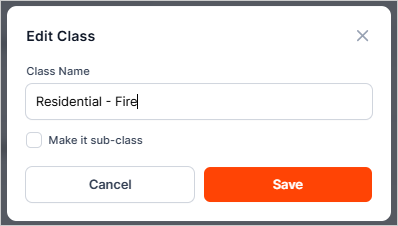
5. Make the necessary changes.
6. Once done, click Save.
7. To deactivate the Class, click the three-dots icon and select the option for Make Inactive.