![cc5404e7b75e6d484a23b7d9f19a2774.png]](https://support.arworkflow.com/hs-fs/hubfs/cc5404e7b75e6d484a23b7d9f19a2774.png?height=50&name=cc5404e7b75e6d484a23b7d9f19a2774.png)
What is a Category?
Categories are used to group related products and services. They make it easier to organize and manage different areas of your business. For one, Categories can be used to quickly segment similar products or services. Secondly, they help to centralize related information and make accessing it simpler. It can be helpful to think of Categories as which products or services you are offering, and how to group them.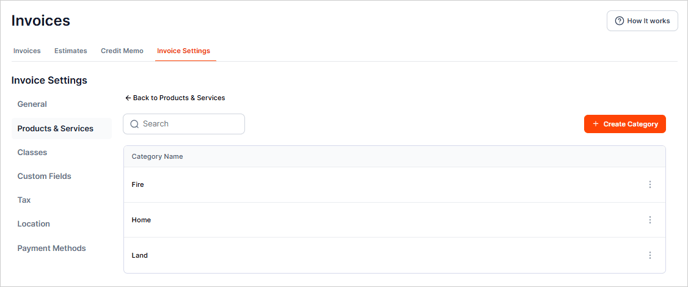
Create Product/Service Categories
1. Navigate to the Invoices tab.
2. Go to Invoice Settings.

3. Choose Products & Services.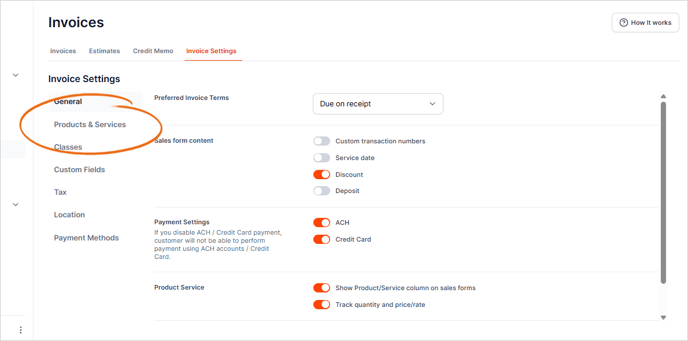
4. Click the three-dots icon and choose Manage Category.
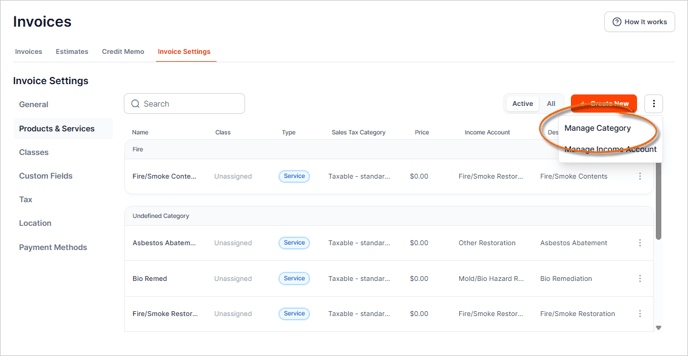
5. Click + Create Category button.

6. Type the name of the category.
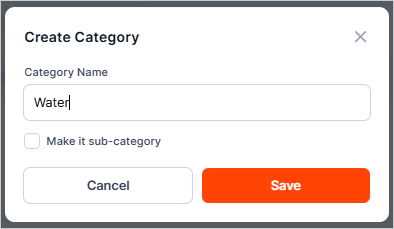
7. If the category belongs to a parent category, click the Make it sub-category checkbox.
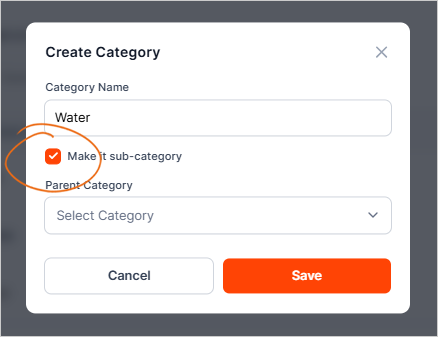
8. Then select the Parent Category from the list.

9. Review the details of the new category and click Save.
Manage Product/Service Categories
1. Click the three-dots icon and choose Manage Category.
2. Click the three-dots icon and choose Edit on the Product/Service Category that you want to edit.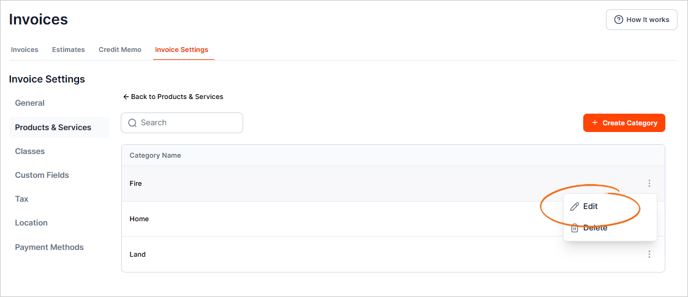
3. Make any necessary edits and Save.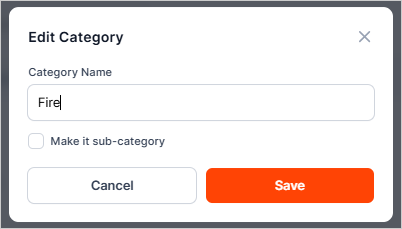
Create Income Account
1. Navigate to the Invoices tab.
2. Go to Invoice Settings.
3. Choose the Products & Services tab.
4. Click the three-dots icon and choose Manage Income Account.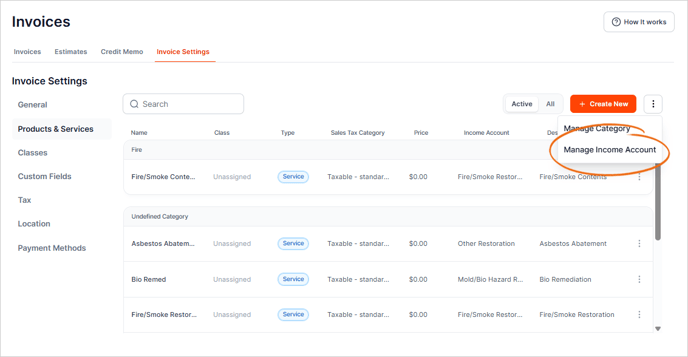
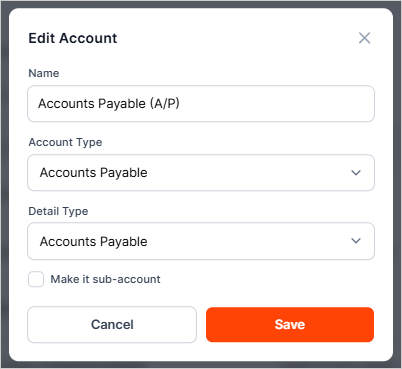
5. To create a new Income Account, click the + Create Account button.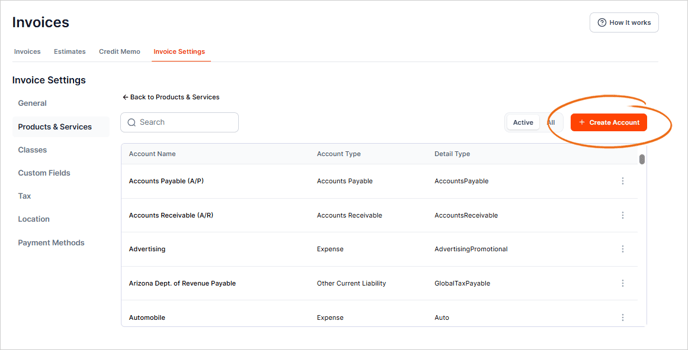
6. Type the Account Name.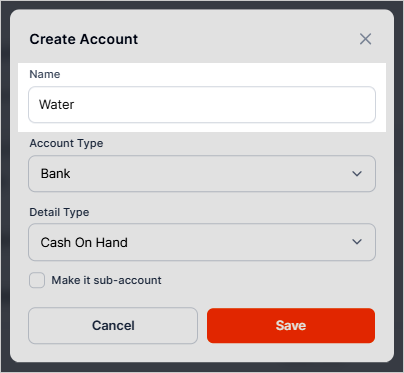
7. Choose the correct Account Type.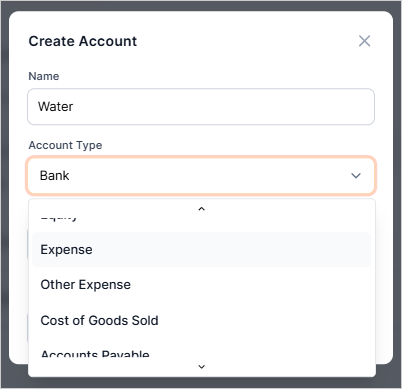
8. Add the Detail Type.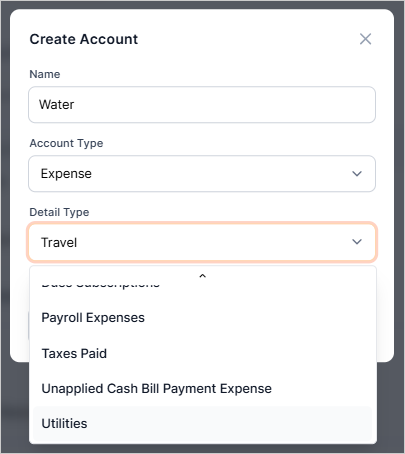
9. If the account belongs to a parent category, click the Make it sub-account checkbox.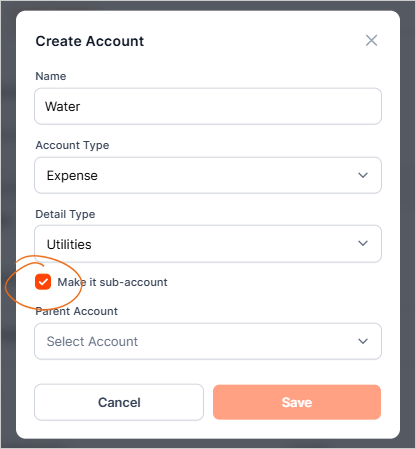
10. Select the Parent Category from the list.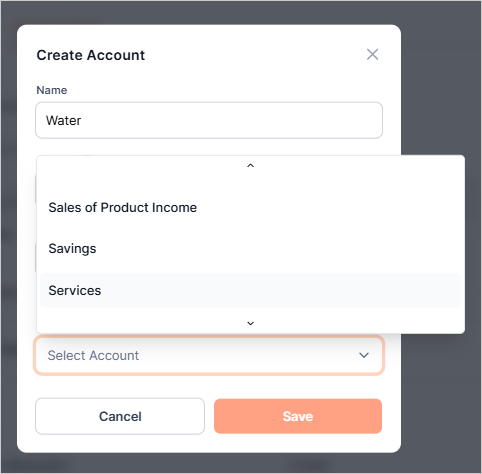
11. Review the details of the account and once done, click Save.
Manage Income Account
1. Click the three-dots icon and choose Manage Income Account.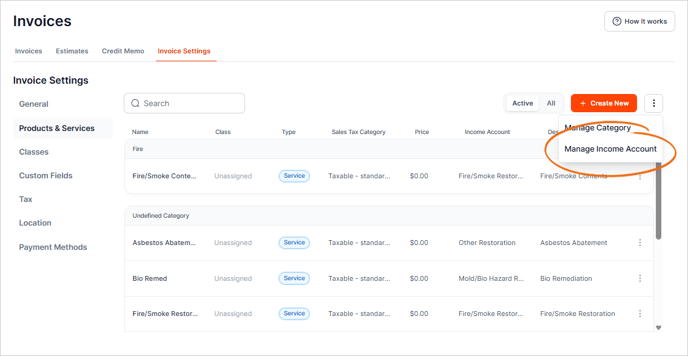
2. Click the three-dots icon and choose Edit on the Income Account that you want to edit.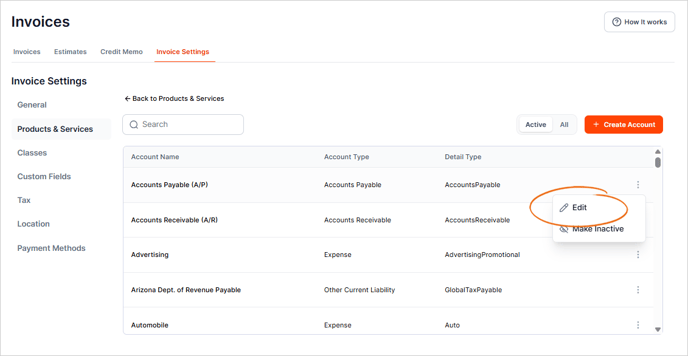
3. Make any necessary edits and Save.