![cc5404e7b75e6d484a23b7d9f19a2774.png]](https://support.arworkflow.com/hs-fs/hubfs/cc5404e7b75e6d484a23b7d9f19a2774.png?height=50&name=cc5404e7b75e6d484a23b7d9f19a2774.png)
Overview
When a customer calls your AR Workflow number, the system automatically routes the call to the right person on your team based on a specific order of availability. This ensures that every incoming call has the best possible chance of being answered — keeping your team responsive and your customers well taken care of.
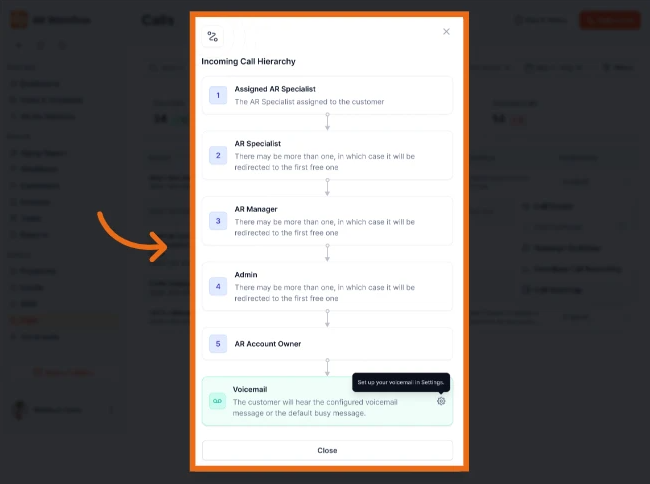
How Calls Are Routed
AR Workflow follows a simple call routing order. Here is how it works:
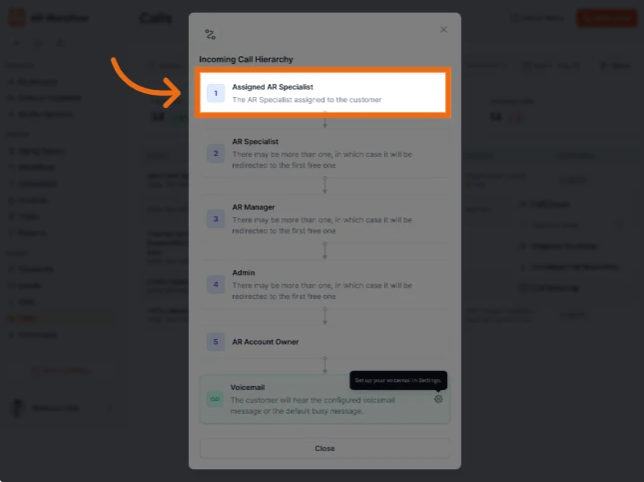
1. Assigned AR Specialist
The call will always ring first for the AR Specialist who is directly assigned to the customer calling. This is the person who knows the customer best and will always be the first to receive their call.
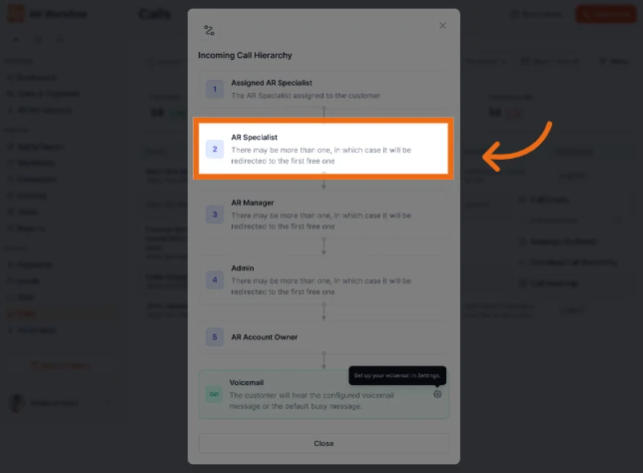
2. AR Specialist
If the Assigned AR Specialist is not available, the call will be redirected to the next available AR Specialist on your account. If you have more than one AR Specialist, the call will go to whichever one is free first.
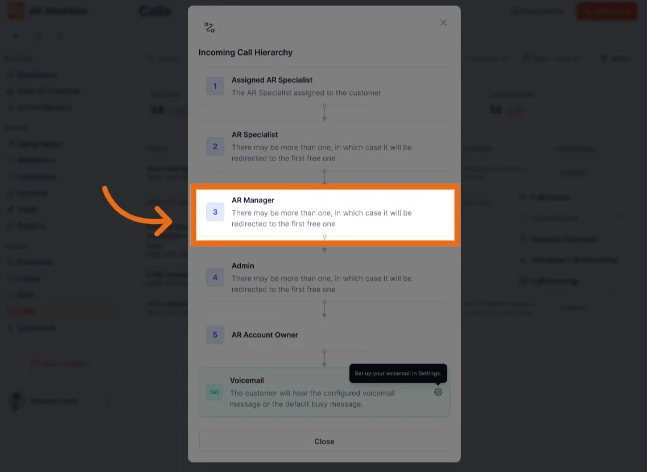
3. AR Manager
If no AR Specialist is available, the call moves up to your AR Manager. If there is more than one AR Manager, it will go to whichever one is available first.
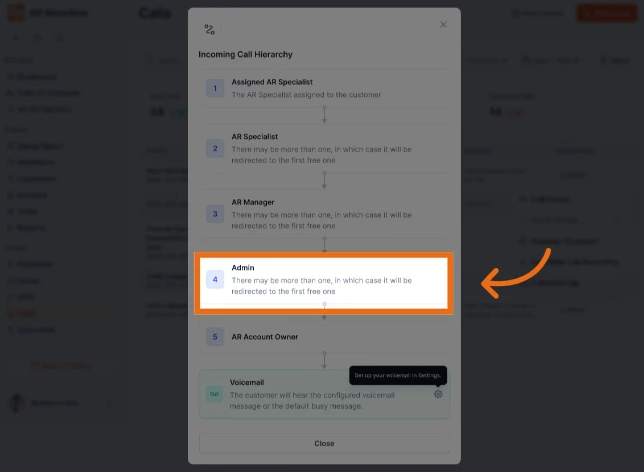
4. Admin
If the AR Manager is also unavailable, the call is then routed to an Admin user on your account. Again, if there is more than one Admin, it will go to the first one available.
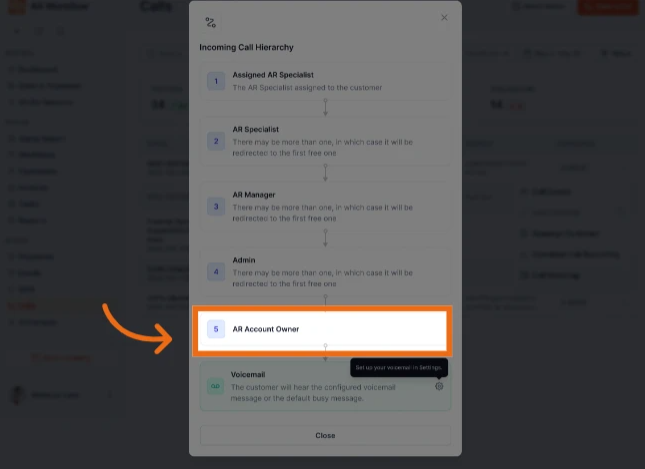
5. Account Owner
If no Admin is available, the call will be directed to the Account Owner — the top level user on the account.
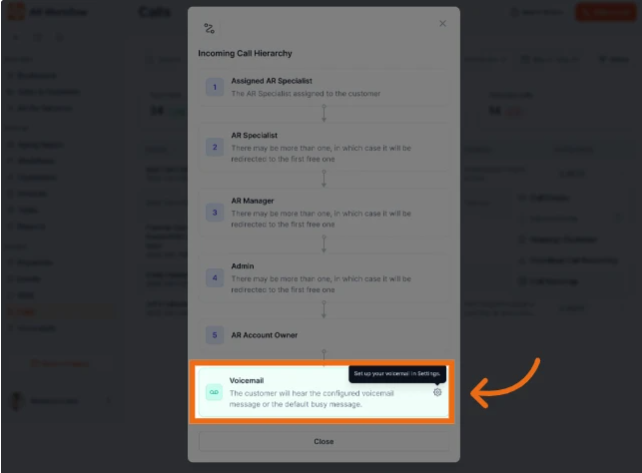
6. Voicemail
If none of the above users are logged in to AR Workflow, the call will go straight to voicemail.
⚠️ Important — Logged Out vs. Unavailable
This is one of the most important things to understand about how calls are routed.
A call will only move to the next person in the routing order if the current user is completely logged out of AR Workflow on all browser tabs.
Simply being away from your desk or busy with something else does not redirect the call. If you are still logged in anywhere, calls assigned to you will continue to ring for you.
If you want calls to be routed to the next person in the hierarchy, you must fully log out of AR Workflow on all open tabs.
🔔 Setting Up Your Voicemail
We recommend setting up a professional voicemail greeting so your customers always hear a clear and welcoming message when no one is available.
To set up your voicemail:
- Navigate to Business Settings in AR Workflow
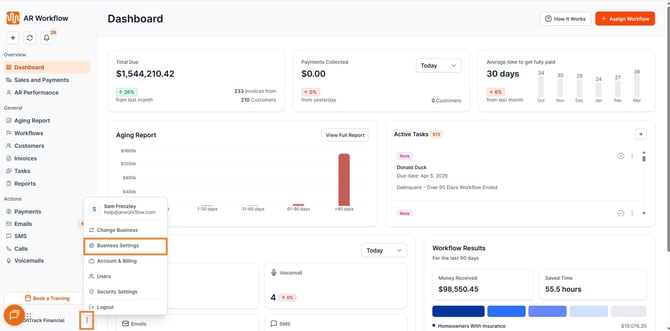
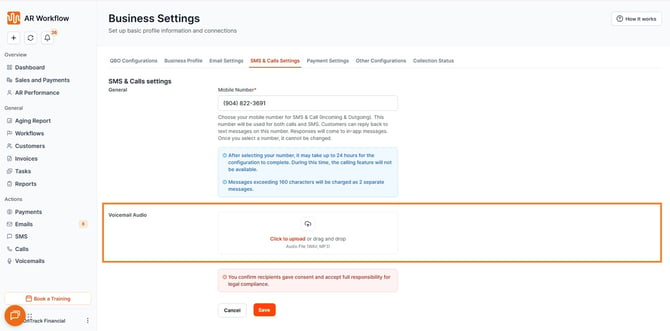
- Locate the Voicemail section in SMS & Call Settings
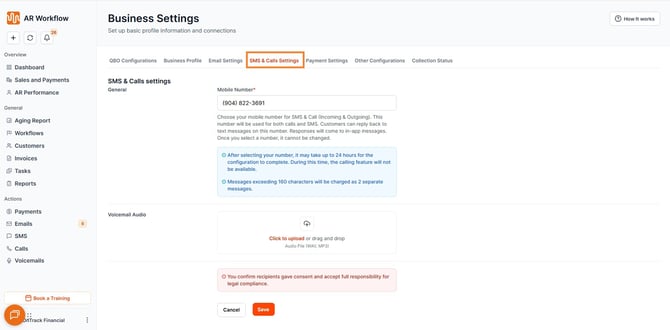
- Record or upload your custom voicemail greeting
💡 Tips for Better Call Coverage
- Make sure at least one AR Specialist is logged in during your business hours
- If your team handles a high volume of calls, consider adding more than one AR Specialist so calls are distributed efficiently
- Remind your team of the difference between being logged out and simply stepping away — this will prevent calls from being missed unintentionally
- Set up a voicemail greeting so customers always receive a response even when no one is available
Need Help?
If you have any questions about your call setup or need assistance, please do not hesitate to reach out to our Support Team — we are always here and happy to help!