![cc5404e7b75e6d484a23b7d9f19a2774.png]](https://support.arworkflow.com/hs-fs/hubfs/cc5404e7b75e6d484a23b7d9f19a2774.png?height=50&name=cc5404e7b75e6d484a23b7d9f19a2774.png)
At least once a week you should be filtering down the transaction list to search for failed or pending transactions:
- Pending:
- Unverified: The customer has yet to verify their micro-deposits.
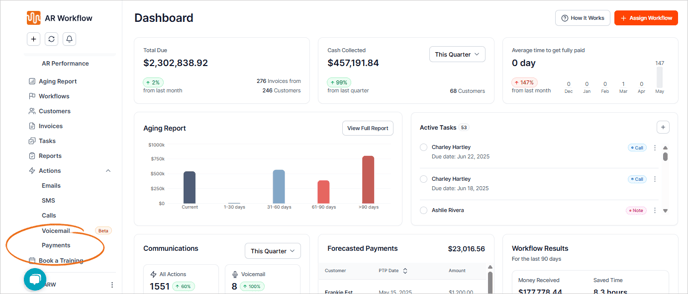
1. Navigate to the Payments tab.
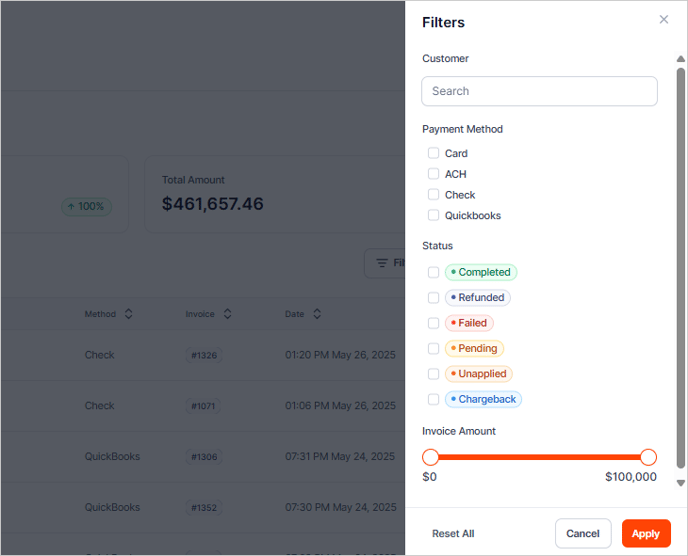
2. Click the Filters button.

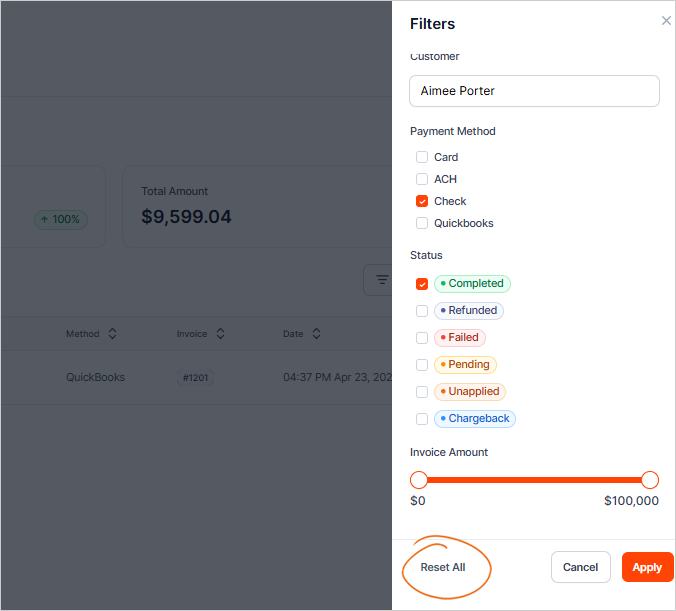
3. You have four filters to choose from:
- Customer
- Payment Method
- Status
-
Invoice Amount.
You can combine filters to give you a more precise result.
4. Click Apply once you've narrowed it down.

5. Click a checked box to remove a filter.

6. If you want to remove all filters, click Reset All.