![cc5404e7b75e6d484a23b7d9f19a2774.png]](https://support.arworkflow.com/hs-fs/hubfs/cc5404e7b75e6d484a23b7d9f19a2774.png?height=50&name=cc5404e7b75e6d484a23b7d9f19a2774.png)
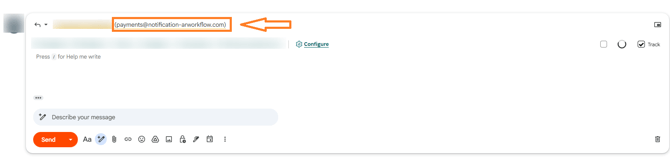
When AR Workflow sends emails on your behalf — such as invoice notifications, payment reminders, or collections follow-ups — the Reply-To address is the address your customers see when they hit Reply. Previously, this address was a system-generated string of random characters that looked unfamiliar and suspicious to recipients. This has now been updated to a clean, recognizable business address.
What Changed
The Reply-To address on emails sent through AR Workflow has been updated from a random system-generated address to a clean, consistent business email address.
Before: reply-z0yeuw2511@parse-beta.arworkflow.com
Now: payments@notification-arworkflow.com
Who This Applies To
This update applies to accounts using AR Workflow's default email settings — where the From Email is set to the default address payments@notification-arworkflow.com.
If you have connected your own Google or Microsoft email account to AR Workflow, your email behaviour remains unchanged. Replies to your emails will continue to go directly to your connected email address as they did before.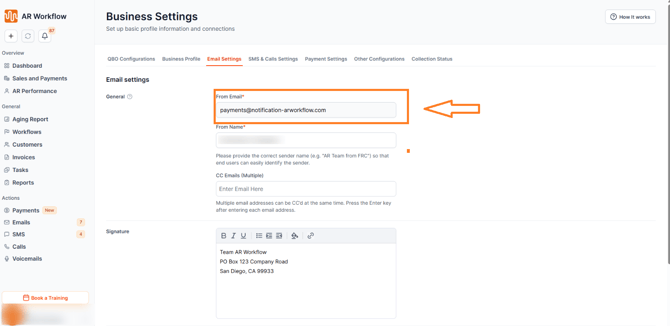
What Happens to Existing Email Threads
Replies to emails sent before this update using the old Reply-To format will continue to be processed normally. There is no disruption to existing email threads or reply history — everything continues to flow as expected.
Viewing Replies in AR Workflow
When a customer replies to an email using the new Reply-To address, payments@notification-arworkflow.com, their reply will be received directly into the Inbox within the Email section of AR Workflow. Your team can view and respond to these replies just like any other inbound email — no separate setup or configuration required.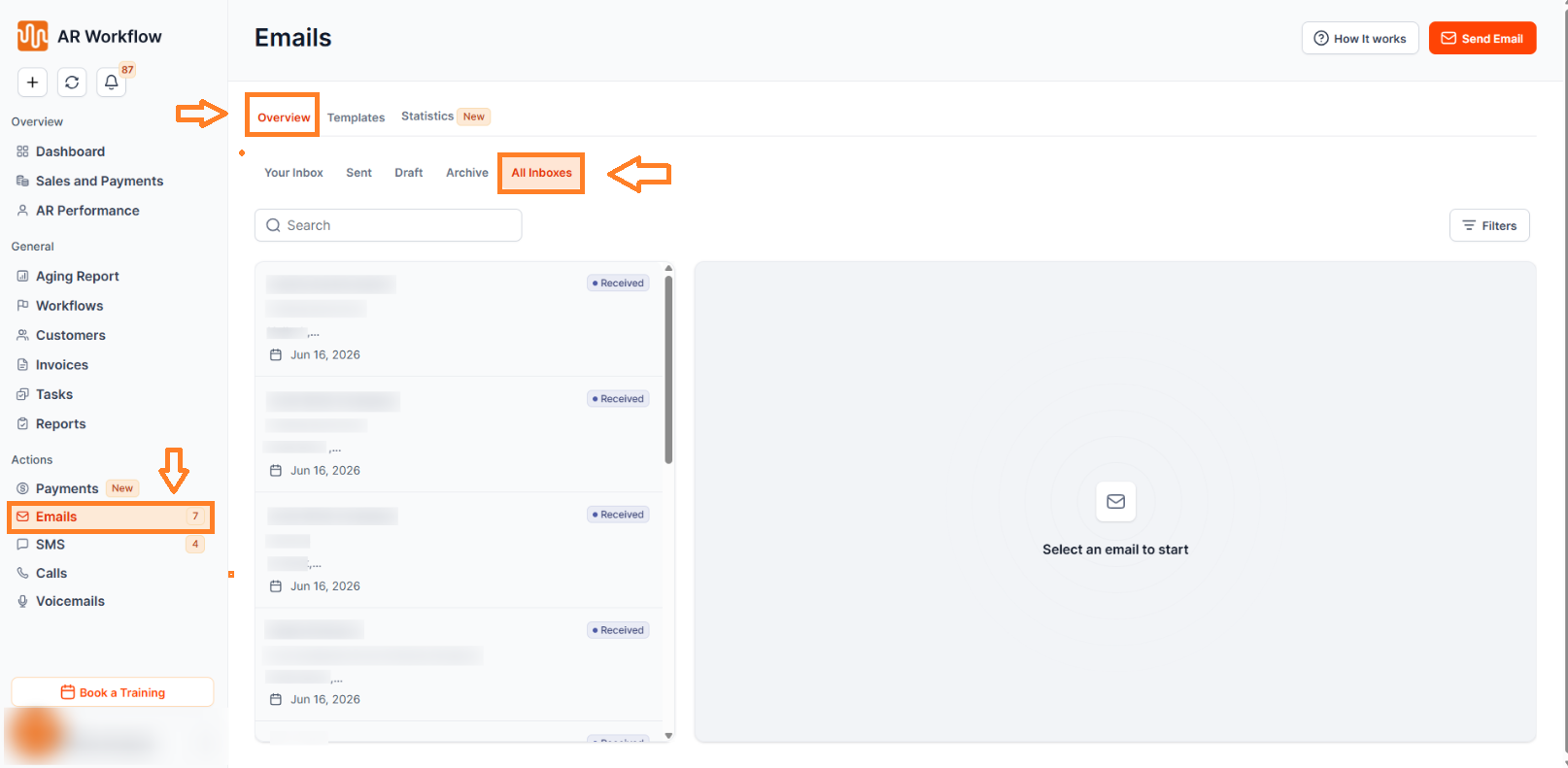
Why This Matters
A suspicious-looking reply address is one of the most common reasons customers ignore, delete, or mark emails as spam. When a customer receives an invoice email and sees a reply address filled with random characters, it erodes trust — even if the email itself is legitimate.
By replacing that address with a clean, recognizable business email, AR Workflow ensures your customers see a professional and trustworthy reply address every time they interact with your emails — improving response rates, reducing spam flags, and making your collections communications more effective.
Need Help?
If you have questions about email settings or reply address behaviour in AR Workflow, reach out to AR Workflow Support at support@arworkflow.com.