![cc5404e7b75e6d484a23b7d9f19a2774.png]](https://support.arworkflow.com/hs-fs/hubfs/cc5404e7b75e6d484a23b7d9f19a2774.png?height=50&name=cc5404e7b75e6d484a23b7d9f19a2774.png)
Knowing whether your emails were delivered was just the first step. With Email Open Tracking, AR Workflow now tells you exactly which emails were opened by your customers, giving you a deeper understanding of your outreach effectiveness and helping you make smarter follow-up decisions.
Important — Availability
Email open tracking is available for emails sent on or after May 13, 2026. Historical email data will not be backfilled. An informational note has been added directly on the Email Statistics page for clarity.
What's New
Enhanced Email Statistics Page
The Email Statistics page provides a more complete view of both delivery and engagement metrics. You can now see:
Opened — The total number of emails that were opened by recipients.
Open Rate — The percentage of delivered emails that were opened.
Deferred & Dropped — These two statuses are tracked as a combined metric for a cleaner, more focused view.
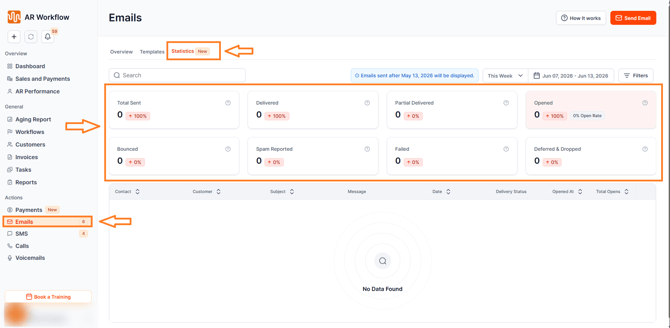
"Opened" Status Across the Platform
The Opened status is visible across the following areas of AR Workflow:
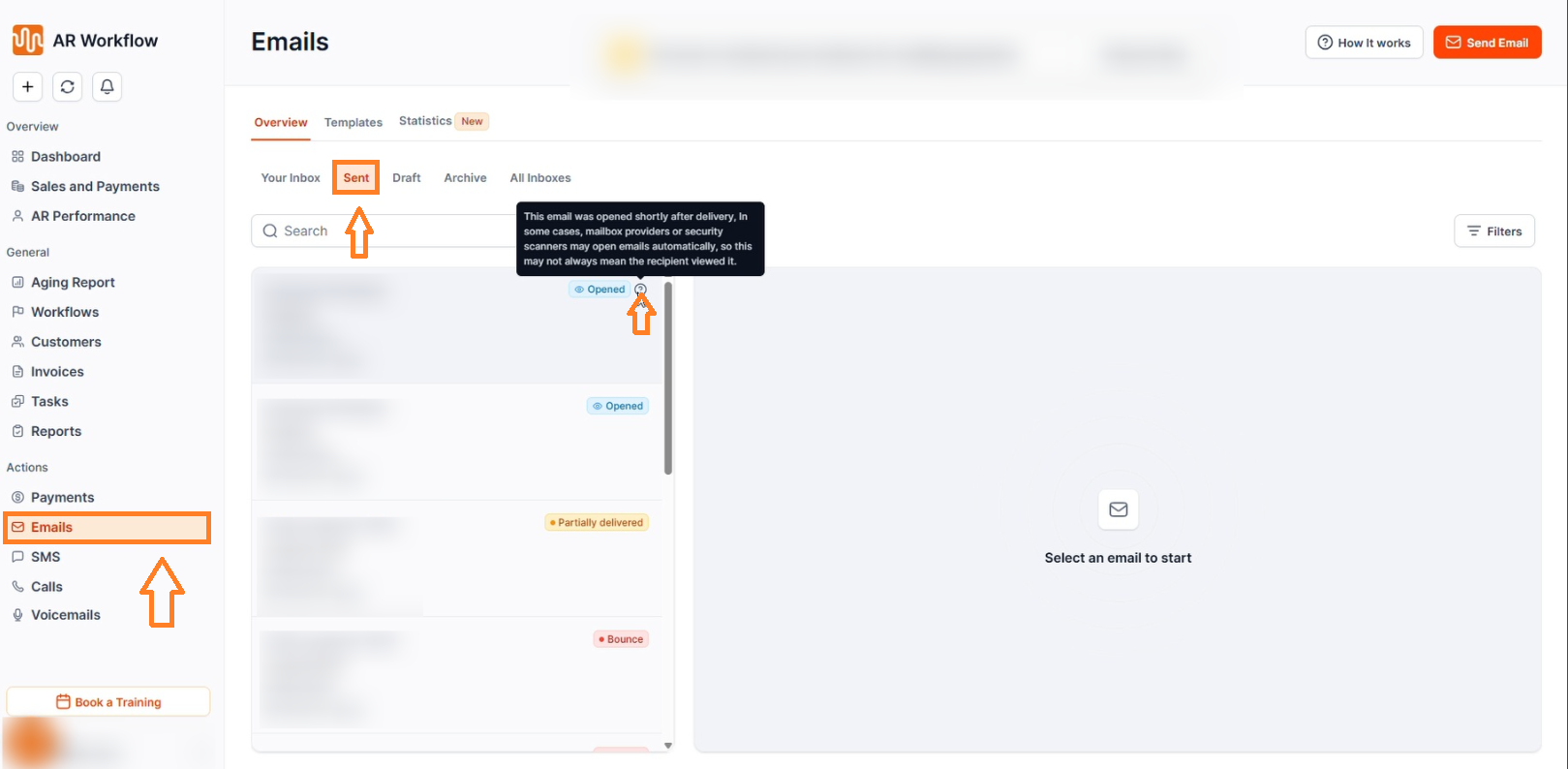
Email List Page — See which sent emails have been opened directly from your email list.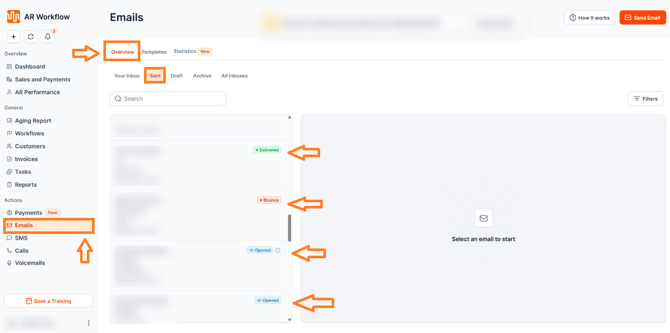
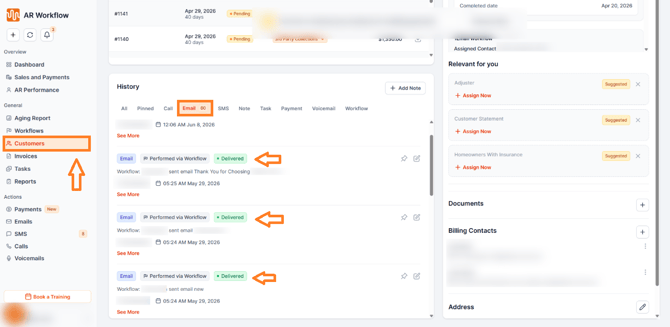
Customer Profile Page — View email open status on a per-customer basis from their profile.
AR Performance Page — Track email engagement as part of your broader AR performance metrics.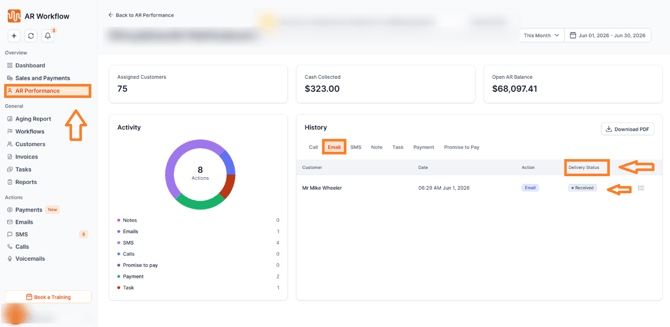
Workflow Action Screens — See open status at the workflow action level for a complete picture of how your automated sequences are performing.

Understanding the "Opened" Status Tooltip
For emails that are marked as opened within 10 seconds of delivery, a smart tooltip will appear with the following note:
"This email was opened shortly after delivery. In some cases, mailbox providers or security scanners may open emails automatically, so this may not always mean the recipient viewed it."
This transparency helps your team make informed decisions about follow-up actions — especially in cases where an early open may have been triggered by an automated system rather than the recipient.
Understanding Email Delivery Statuses
Each email in AR Workflow displays one of the following statuses:
Delivered — The email was successfully delivered to the recipient's inbox.
Opened — The recipient opened the email. If opened within 10 seconds of delivery, a tooltip will flag that it may have been triggered by a mailbox provider or security scanner.
Bounced — The email was rejected by the recipient's mail server — usually due to an invalid or inactive email address.
Failed — The email failed to send — may be due to an oversized attachment or a sending error.
Deferred & Dropped — The email was temporarily delayed or dropped by the receiving server — tracked as a combined metric.
Partially Delivered — Delivered to one or more recipients but failed for at least one other.
Received — An inbound email has been received from the customer into AR Workflow.
Need Help?
If you have questions about email open tracking or need help interpreting your email statistics, reach out to AR Workflow Support at support@arworkflow.com.