![cc5404e7b75e6d484a23b7d9f19a2774.png]](https://support.arworkflow.com/hs-fs/hubfs/cc5404e7b75e6d484a23b7d9f19a2774.png?height=50&name=cc5404e7b75e6d484a23b7d9f19a2774.png)
Access to the Workflow tab is limited to Owner, Admin, and AR Manager user profiles.
1. Navigate to Actions and choose Emails.

2. Go to Templates.

3. Expand the category to find the list of templates.

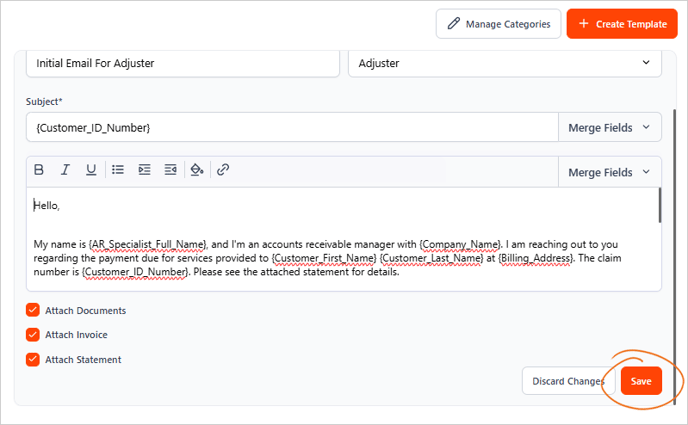
4. Select the email template that you want to edit.

5. Make any changes needed to the template.
6. Click the Save button to apply the changes you've made.
Important Reminder: Make sure to review the email details carefully. Ensure the correctness of details, such as the template's name, message, category, and the options you've used from the Merge Fields.