![cc5404e7b75e6d484a23b7d9f19a2774.png]](https://support.arworkflow.com/hs-fs/hubfs/cc5404e7b75e6d484a23b7d9f19a2774.png?height=50&name=cc5404e7b75e6d484a23b7d9f19a2774.png)
Are you looking for a quick way to copy the details of an existing Invoice so you don't have to enter the same information more than once? Perhaps you need to create another Invoice with additional services, but most of the information is the same. Whatever your reason, we've got you covered.
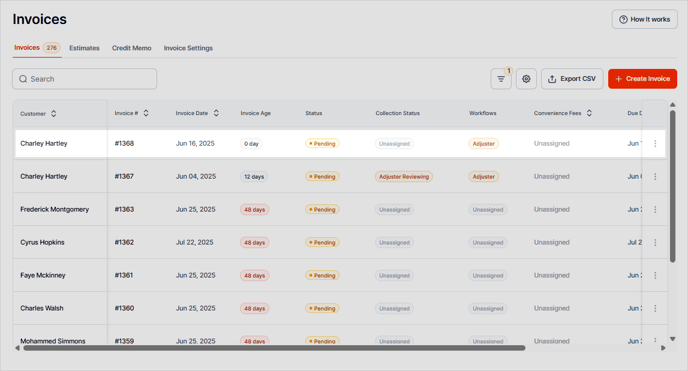
1. Navigate to the Invoices tab.

2. Open the selected Invoice.

3. You can also click the three-dots icon and choose Edit.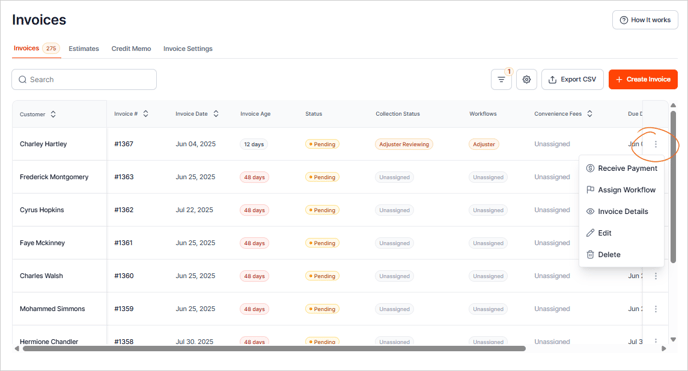
4. Click the Duplicate icon.

5. A copy of the invoice will populate. Make any changes you need, including changing the customer, updating the service date, due date or products/services.
6. Rinse and repeat, or simply Save and Close.

7. The new invoice will now be listed in the Invoices tab.