![cc5404e7b75e6d484a23b7d9f19a2774.png]](https://support.arworkflow.com/hs-fs/hubfs/cc5404e7b75e6d484a23b7d9f19a2774.png?height=50&name=cc5404e7b75e6d484a23b7d9f19a2774.png)
Access to the Workflows tab is limited to Owner, Admin and AR Manager user profiles.
Duplicate (clone) a Workflow and save time vs. creating a whole new Workflow from scratch.
1. Navigate to the Workflows tab.

2. Click the three dots icon next to the Workflow you want to clone, then select Make a Copy from the menu.

3. Click the Confirm button.
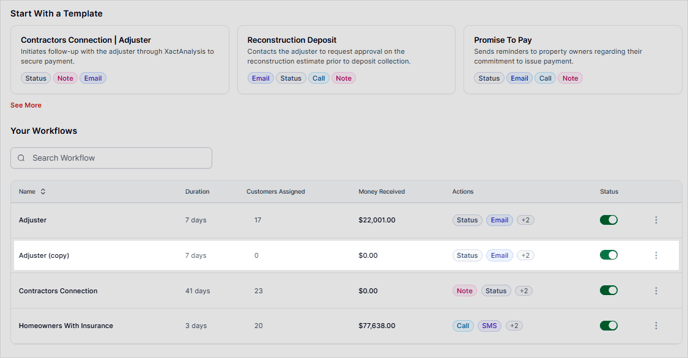
The new Workflow will end with the word "copy", however, the title can be edited at any time.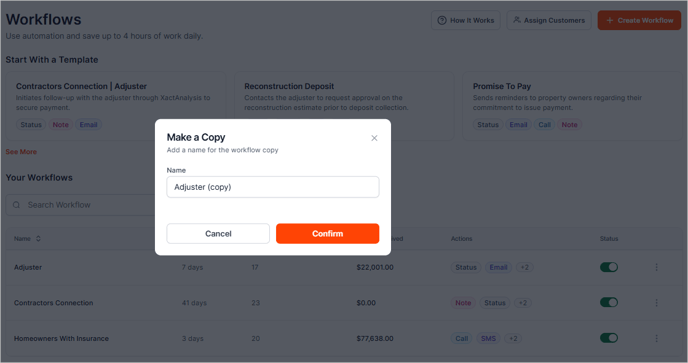
4. You will now see the cloned Workflow in the Collection Workflow list.