![cc5404e7b75e6d484a23b7d9f19a2774.png]](https://support.arworkflow.com/hs-fs/hubfs/cc5404e7b75e6d484a23b7d9f19a2774.png?height=50&name=cc5404e7b75e6d484a23b7d9f19a2774.png)
Access to the Workflow tab is limited to Owner, Admin and AR Manager user profiles.
🚨 Deleting a Workflow permanently removes it from the list of available Workflows, and removes it from all assigned customers. If you think this Workflow may be used in the future, deactivate it instead.
To delete a Workflow, follow these steps:
1. Navigate to the Workflows tab.
2. Click the three dots icon in the row of the Workflow you want to delete, then select Delete from the menu.

3. Click the Delete button to confirm your action.
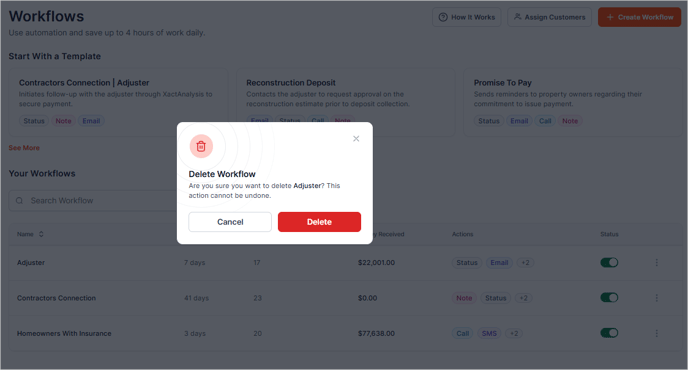
🚨Remember that this action cannot be undone. It's a good practice to deactivate Workflows first if you plan to reuse them in the future.