-
Customize Voicemail Voice (Male & Female)
With AR Workflow, you can personalize your voicemail greeting by selecting from two professional voice options:
- Mathew (Male Voice)
- Joanna (Female Voice)
This helps ensure your communication style matches your brand and creates a consistent customer experience.
Who Can Update Voicemail Voices?
As you know, AR Specialists cannot update their own voicemail voice. Their role does not include access to the User List page.
- ✅ AR Managers, Admins, and Owners can change or update voicemail voices for users.
- ❌ AR Specialists do not have this permission.
Steps to Customize a User’s Voicemail Voice
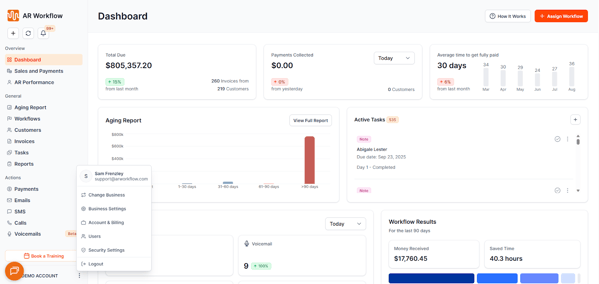
Open User Settings
- Click on the three dots in the bottom-left corner of the platform (next to your account name).
Select the User
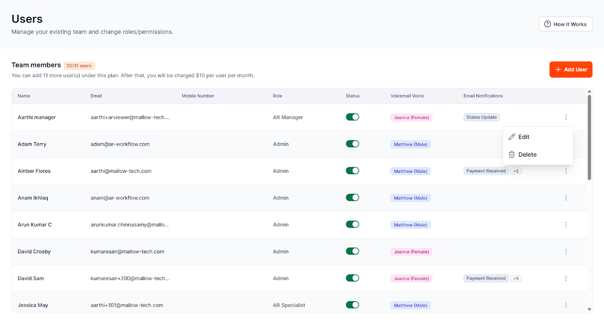
- You can find the user whose voicemail voice you want to change on the User List.
- Please scroll to the right-hand side of their row and click on the three dots.
- Choose Edit.
Locate Voicemail Voice
- Scroll down the user’s profile until you see the Voicemail Voice section.
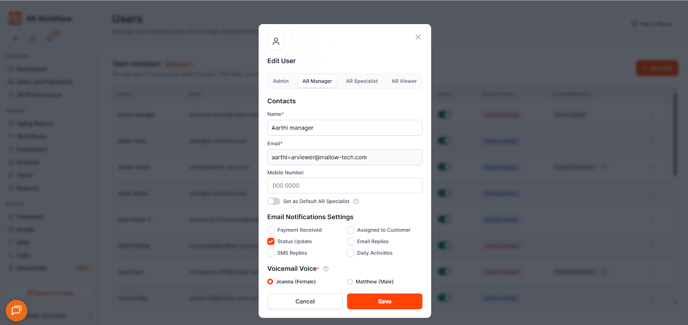
- Scroll down the user’s profile until you see the Voicemail Voice section.
Choose the Voice
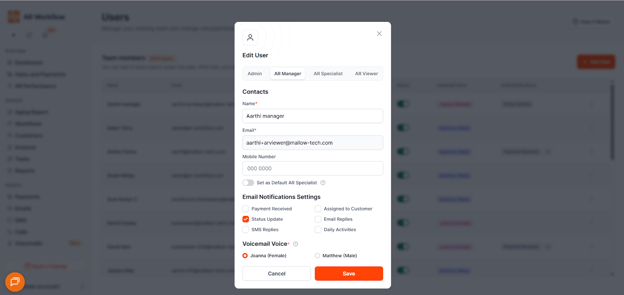
- From the dropdown, select either:
- Mathew (Male Voice)
- Joanna (Female Voice)
- Mathew (Male Voice)
Save Changes
- Click Save to apply the new voicemail voice setting.
- Mathew (Male Voice)
English
![cc5404e7b75e6d484a23b7d9f19a2774.png]](https://support.arworkflow.com/hs-fs/hubfs/cc5404e7b75e6d484a23b7d9f19a2774.png?height=50&name=cc5404e7b75e6d484a23b7d9f19a2774.png)