![cc5404e7b75e6d484a23b7d9f19a2774.png]](https://support.arworkflow.com/hs-fs/hubfs/cc5404e7b75e6d484a23b7d9f19a2774.png?height=50&name=cc5404e7b75e6d484a23b7d9f19a2774.png)
AR Workflow provides an intuitive set of tools to build and send estimates to your Customers.

Part 1: Creating an Estimate
1. Navigate to the Invoices tab.

2. Go to Estimates.

3. Click the + Create Estimate button.

4. Type the Customer's Name and select the name from the drop-down. The customer Email field will auto-populate if it has been added to the Customer Details.

5. Add or update the Billing Address, Service Address, and the customer's Location.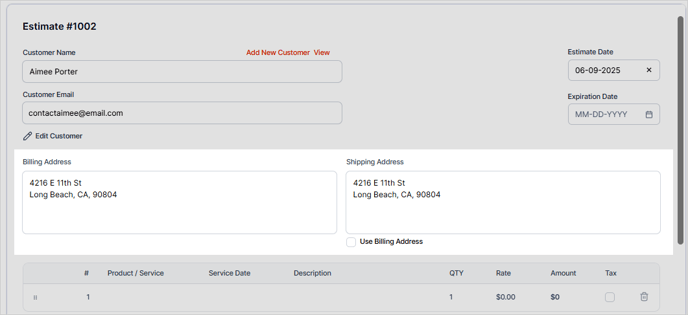
6. Include the Estimate and Expiration Dates.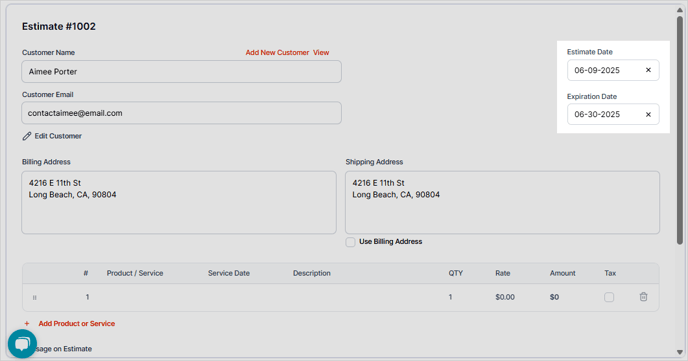
7. Set the Estimate Status.

Part 2: Adding Products/Services, Tax Rate, and Discounts
1. Enter the Service Date, Product/Service, Description, Quantity, and Rate.

2. If there are additional Products or Services, add them to the additional lines.

3. Enter a custom message for the Estimate and Statement.

4. To add any supporting documents, go to the Attachments section and upload your document.

5. Add the Tax Rate if applicable.

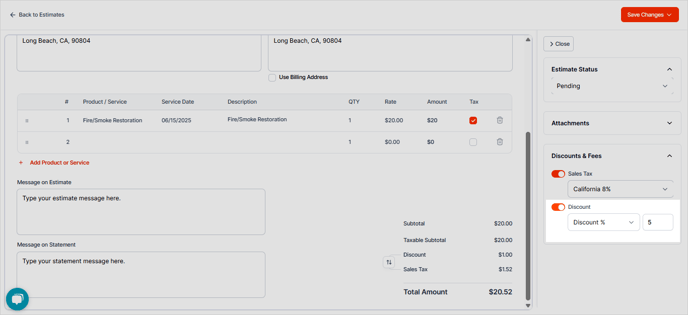
6. If offering a Discount, they can be added here.
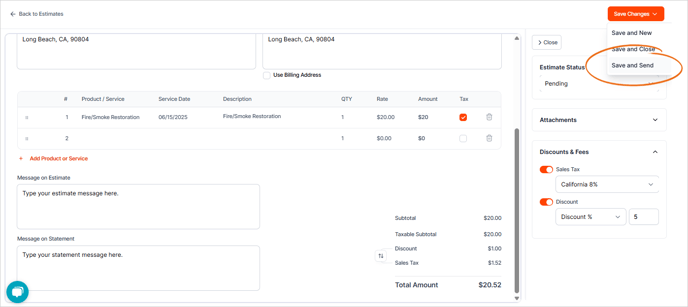
7. Click Save and Send.