![cc5404e7b75e6d484a23b7d9f19a2774.png]](https://support.arworkflow.com/hs-fs/hubfs/cc5404e7b75e6d484a23b7d9f19a2774.png?height=50&name=cc5404e7b75e6d484a23b7d9f19a2774.png)
Access to the Workflow tab is limited to Owner, Admin, and AR Manager user roles.
Set a collections status to help with filtering and viewing the collection stage of an invoice. You have two ways in creating a new Invoice Collection: Via the ARW's Business Settings or through the Customer's Invoice page.
ARW Business Settings.
1. Go to the Business Settings.
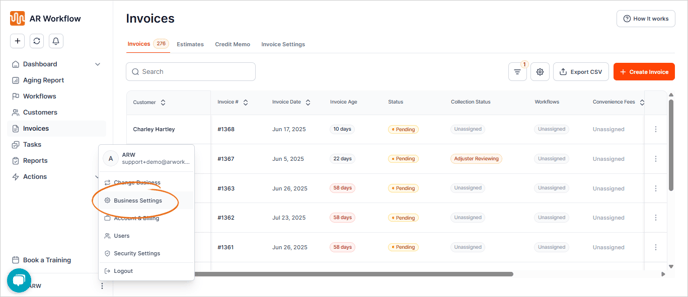
2. Navigate to the Collection Status tab.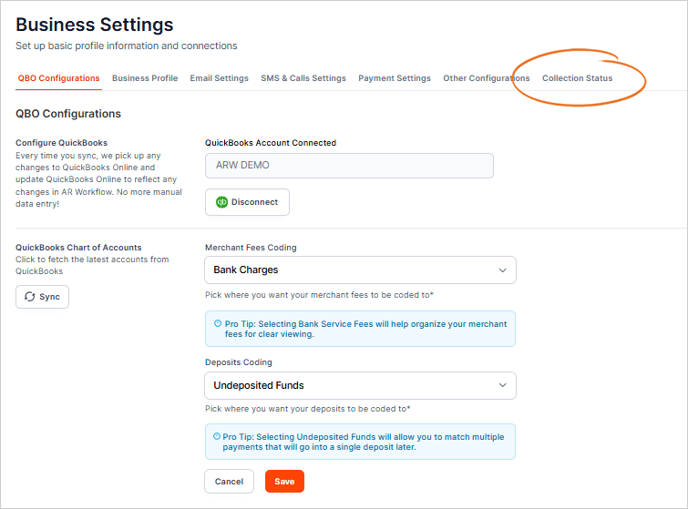
3. Click the + Create Collection Status button.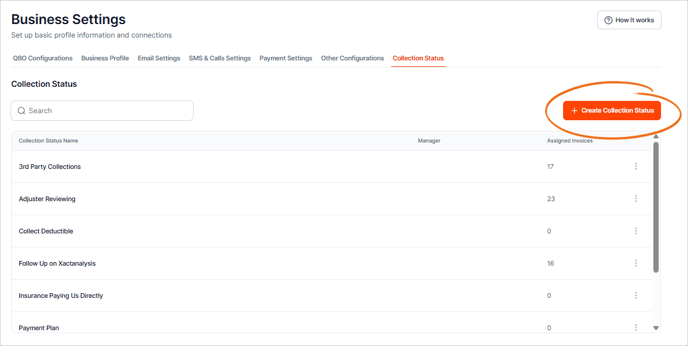
4. Click the + Create Collection Status button.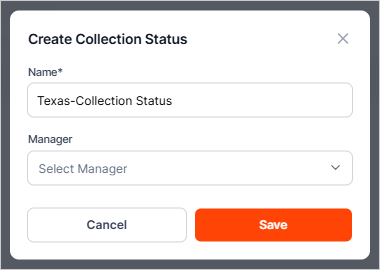
5. (Optional) Assign a staff member as the "manager" of a status.
The status manager will be alerted every time this status is assigned to an invoice. If the status is Unassigned, AR Workflow will not alert a specific user when the status is assigned.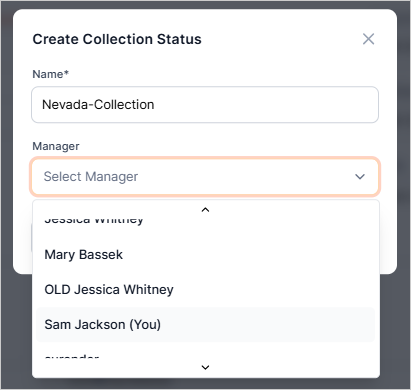
6. Click Save.
Customer's Invoice Page
1. Go to the Invoices tab.
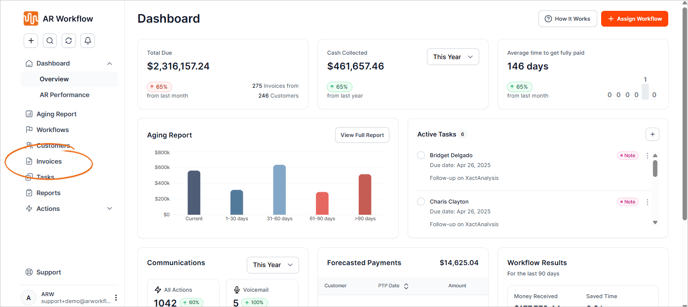
2. Pull up a customer from the list.

3. Expand Collection Status.

4. Choose + Add New from the list.

5. Type the name of the new Collection Status.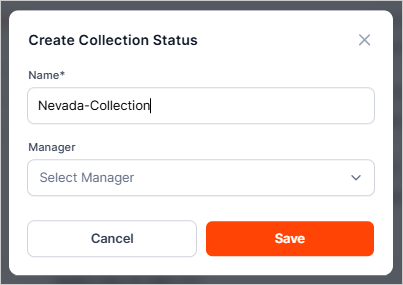
6. (Optional) Assign a staff member as the "manager" of a status.
The status manager will be alerted every time this status is assigned to an invoice. If the status is Unassigned, AR Workflow will not alert a specific user when the status is assigned.
7. Click Save.