![cc5404e7b75e6d484a23b7d9f19a2774.png]](https://support.arworkflow.com/hs-fs/hubfs/cc5404e7b75e6d484a23b7d9f19a2774.png?height=50&name=cc5404e7b75e6d484a23b7d9f19a2774.png)
To access Invoice's Settings:
1. Navigate to the Invoices tab.

2. Click Invoice Settings.

3. Set your preferred Invoice Terms from the list. You have the option to add more term here by clicking + Add New.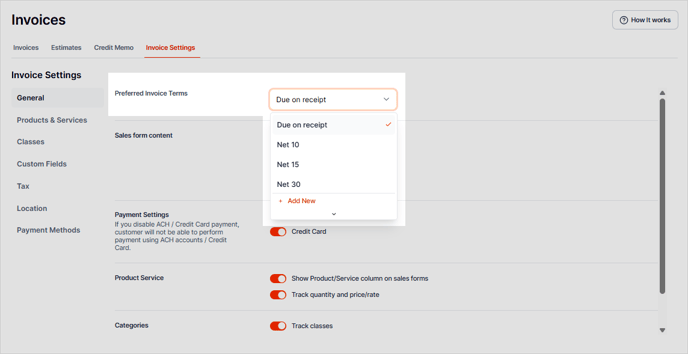
4. In the Sales Form Content section, you can configure:
-
Invoice Terms
-
Custom Transaction Numbers
-
Service Date
-
Discount
-
Deposit

5. You can enable or disable ACH and Credit Card payments in the Payment Settings section.

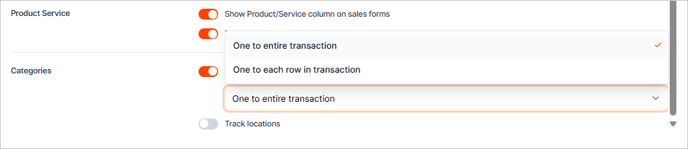
6. Next, the Product Service section lets you show each Product/Service column as a line item on the sales forms and track the quantity and price rate.

7. Last but not least, enable or disable Tracking Classes and Locations in the Categories
section.

You can assign Classes One to the Entire Transaction or One to Each Row.