1. Go to the Tasks tab.
2. Find the task you wish to mark as "Done".
3. Click the three-dots icon and choose Mark as Done.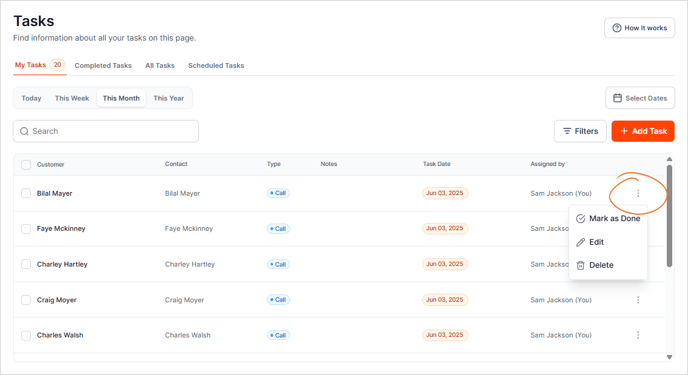
4. Click the Mark As Done button to confirm your action.

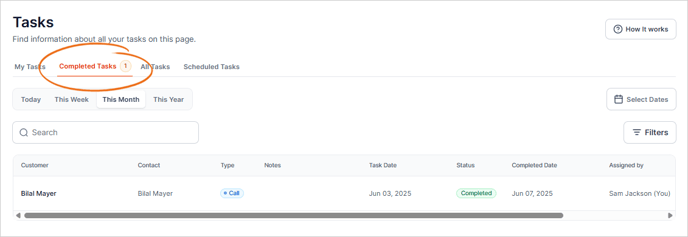
All Completed tasks will be moved to the Completed Tasks tab.
![cc5404e7b75e6d484a23b7d9f19a2774.png]](https://support.arworkflow.com/hs-fs/hubfs/cc5404e7b75e6d484a23b7d9f19a2774.png?height=50&name=cc5404e7b75e6d484a23b7d9f19a2774.png)
1. Go to the Tasks tab.
2. Find the task you wish to mark as "Done".
3. Click the three-dots icon and choose Mark as Done.
4. Click the Mark As Done button to confirm your action.
All Completed tasks will be moved to the Completed Tasks tab.