![cc5404e7b75e6d484a23b7d9f19a2774.png]](https://support.arworkflow.com/hs-fs/hubfs/cc5404e7b75e6d484a23b7d9f19a2774.png?height=50&name=cc5404e7b75e6d484a23b7d9f19a2774.png)
Cyber security experts recommend updating your password every three months, and in AR Workflow, changing your password could not be easier!
1. Click the three-dots icon and choose Security Settings.

2. Type your Old Password, then input your New Password.
3. Click the Save button to update your password.
Securing your account is always a good practice. Change your account password regularly to avoid technology-based compromises.

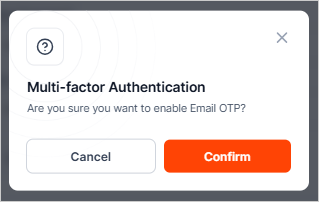
4. You can also enable multi-factor authentication (MFA) to add an extra layer of protection to your account, helping to safeguard it against unauthorized access.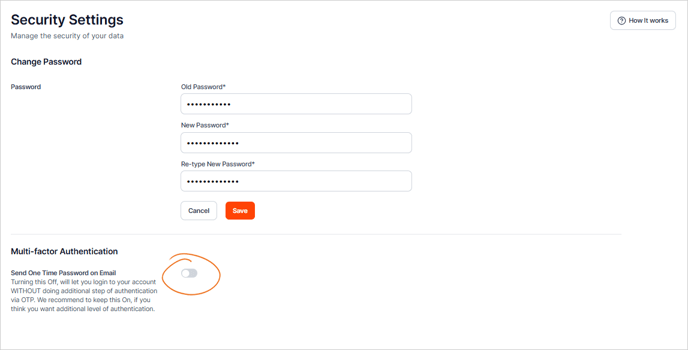
5. Hit Confirm.