![cc5404e7b75e6d484a23b7d9f19a2774.png]](https://support.arworkflow.com/hs-fs/hubfs/cc5404e7b75e6d484a23b7d9f19a2774.png?height=50&name=cc5404e7b75e6d484a23b7d9f19a2774.png)
AR Specialists are responsible for customer outreach, handling inbound customer communication, collecting payments and so much more. One way to ensure AR Specialists know which customers they are responsible for is by ensuring they are physically assigned to those customers.
⚙️ In addition, several filters and reports in the software can be filtered down by AR Specialist.
Assign AR Specialists to Customers in Bulk
From the Aging Report,
-
Filter down the Aging Report as needed.
-
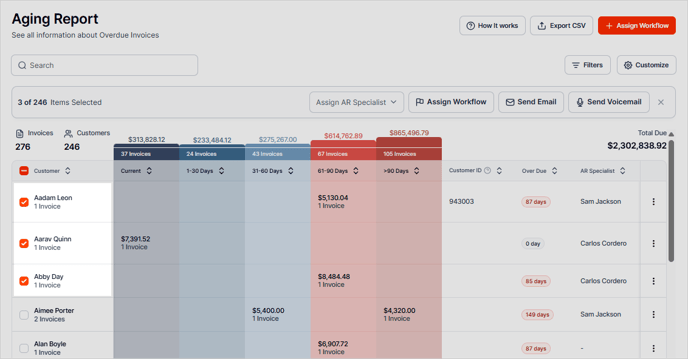
Select the Customers you wish to assign to a specific AR Specialist.
-
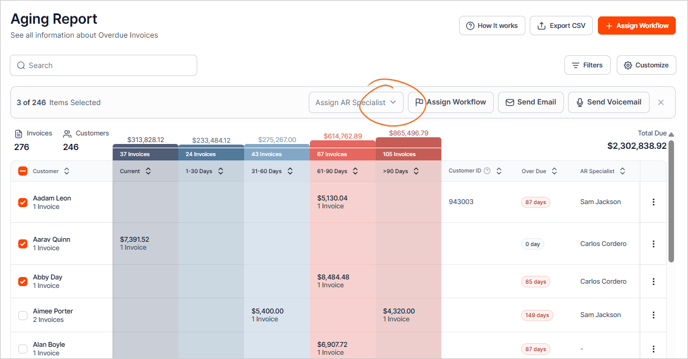
Click the Assign AR Specialist dropdown.
-
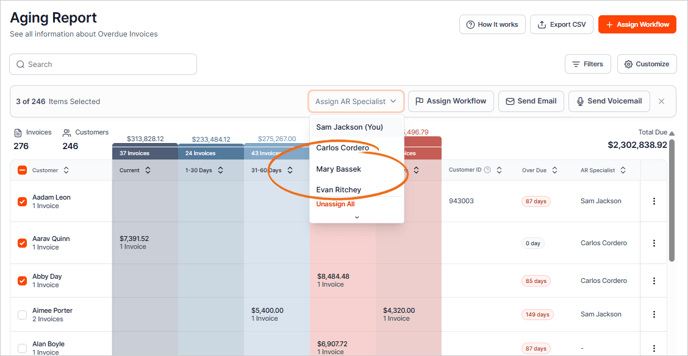
Choose the AR Specialist from the list.
Assign an AR Specialist from the Customer Details page
From the Customer Details page.
-
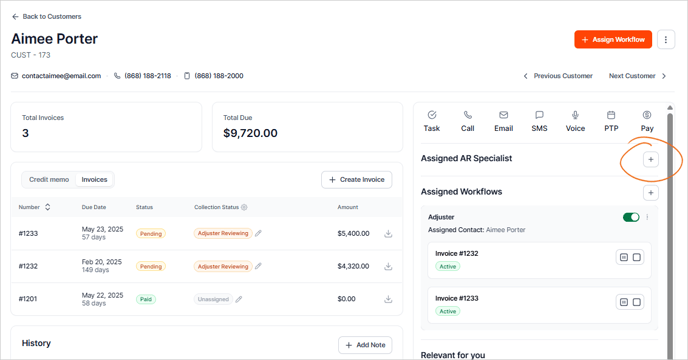
Go to the Assigned AR Specialist section and click the Plus icon.
-
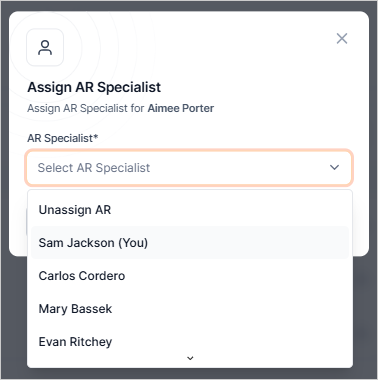
Choose an AR Specialist from the list.
-
Click Confirm.