![cc5404e7b75e6d484a23b7d9f19a2774.png]](https://support.arworkflow.com/hs-fs/hubfs/cc5404e7b75e6d484a23b7d9f19a2774.png?height=50&name=cc5404e7b75e6d484a23b7d9f19a2774.png)
What is AI Voicemail
AI Voicemail helps collectors create personalized, context-aware voicemail drafts using AI. Instead of writing voicemail scripts from scratch, you can generate a draft based on the recipient, invoice context, and selected communication preferences, then review and edit the message before sending.
Create an AI Voicemail
When you create an AI Voicemail draft, the system uses available invoice and contact information to help generate a relevant voicemail script.
The AI-powered voicemail composer is available in additional areas across the application, including the Voicemails Tab and the Customer Tab.
Voicemails Tab
-
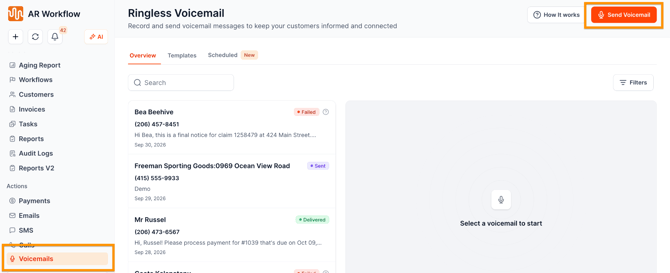
Go to Voicemails Tab
- Click Send Voicemail in the upper-right corner.
- You must choose the customer (Send to) and the contact first. This will enable the Draft with AI option
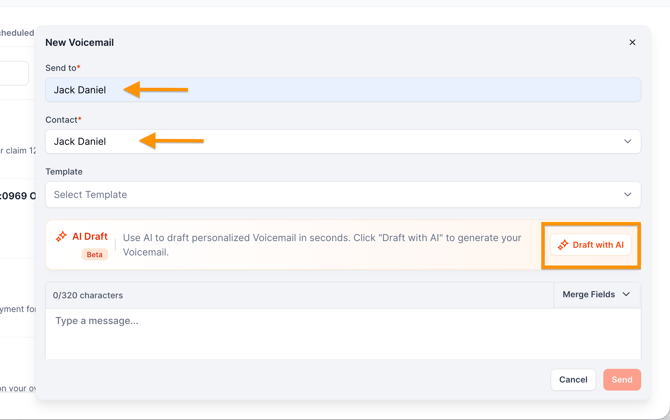
- Click Draft with AI. The AI uses the selected recipient and available contact information to help personalize the voicemail draft.
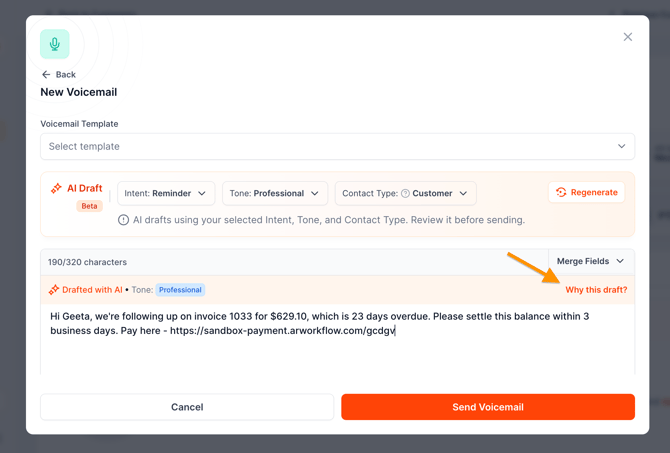
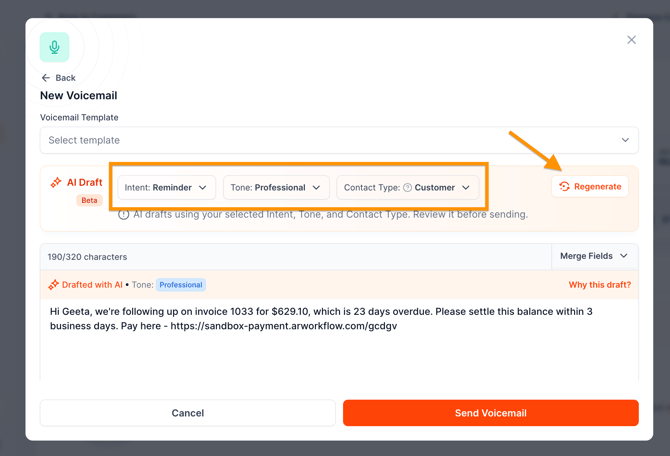
- Review the AI draft generated and customize the inputs
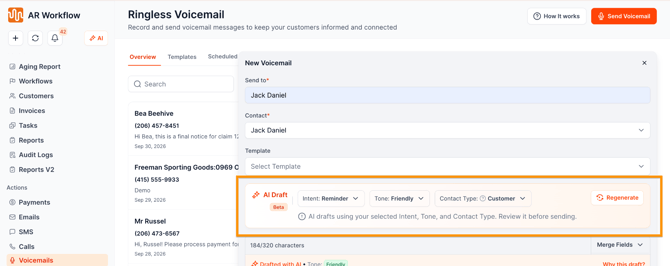
- If Intent, Tone, and Contact Type are changed, click Regenerate.
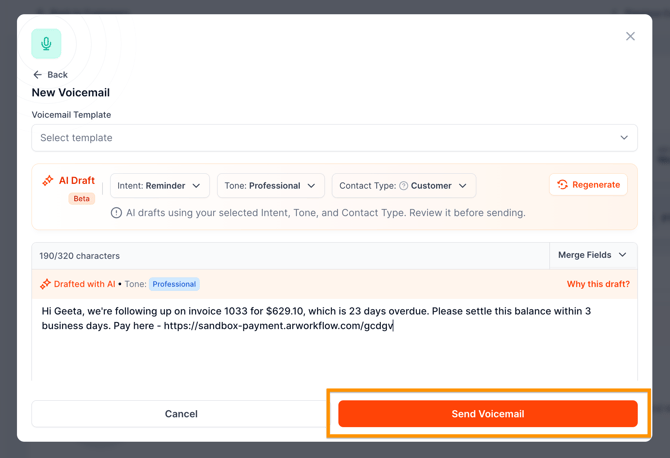
- If everything looks good, hit Send.
You can customize your AI Draft by customizing the following:
- Intent — The purpose of the voicemail.
- Tone — The communication style of the voicemail.
- Contact Type — The type or role of the recipient.
Customers Tab
- Go to Customers Tab
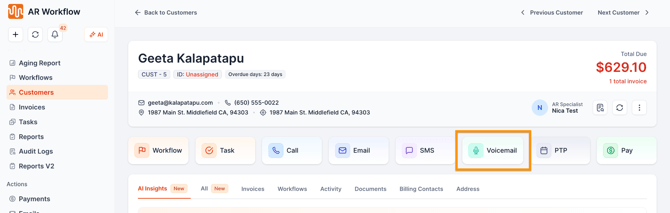
- Click the Voicemail option
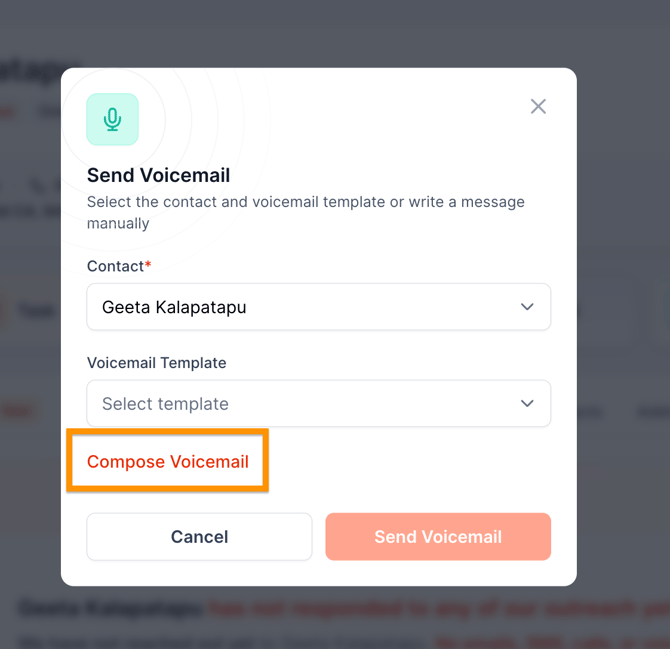
- Click Compose Voicemail
- Click Draft with AI
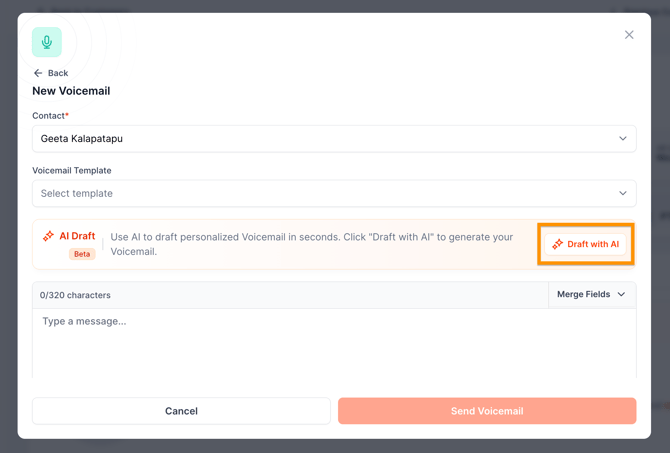
- Review the AI draft generated and customize the inputs such as the Intent, Tone, and Contact Type.
- Click Regenerate if response was further customized
- Once satisfied, click Send Voicemail.
Edit and Regenerate
Editing an AI Voicemail Draft
AI-generated voicemail drafts are fully editable.
You can make changes directly to the draft before sending. If the draft does not meet your needs, change the Intent, Tone, or Contact Type and regenerate it.
You can repeat this process until you have a voicemail that is appropriate for the recipient and situation.
After generating a draft, you can:
- Change the wording.
- Add or remove information.
- Adjust the message to fit your communication style.
- Make any other necessary edits before sending.
AI Voicemail drafts are fully editable before sending. However, the voicemail message must still adhere to the 320-character limit.
Regenerating an AI Voicemail Draft
If you want a different version of the voicemail:
- Review the current Intent, Tone, and Contact Type selections.
- Change one or more of the selections.
- Regenerate the draft.
- Review the new voicemail.
- Edit the draft as needed before sending.
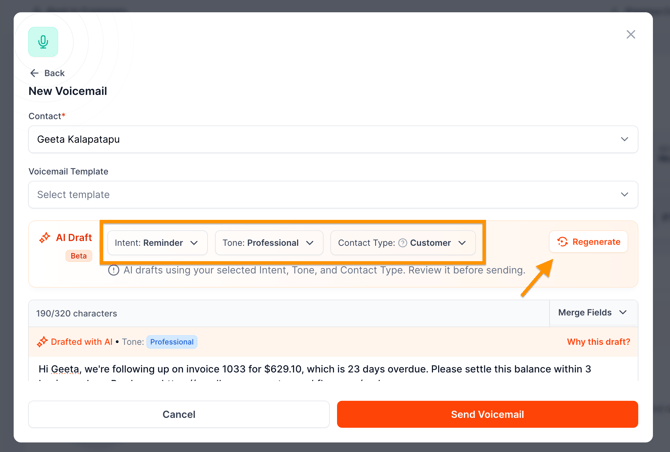
This allows you to quickly explore different versions without having to write the voicemail from scratch.
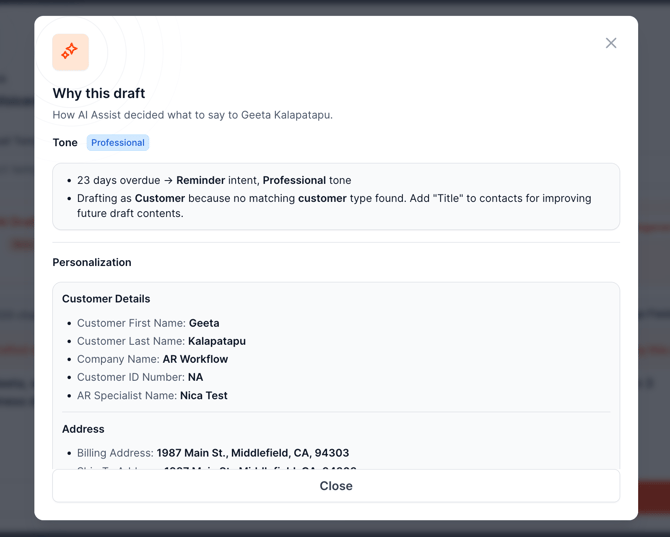
Why this draft?
Why This Draft? explains how the AI generated the voicemail draft and provides insight into the information and context it considered when creating the message.