![cc5404e7b75e6d484a23b7d9f19a2774.png]](https://support.arworkflow.com/hs-fs/hubfs/cc5404e7b75e6d484a23b7d9f19a2774.png?height=50&name=cc5404e7b75e6d484a23b7d9f19a2774.png)
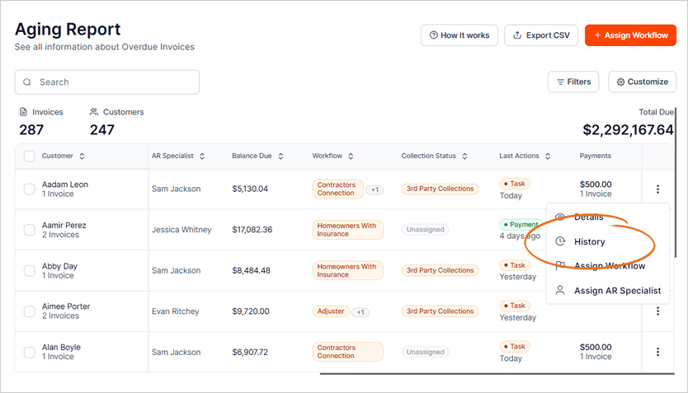
1. Navigate to the Aging Report Tab.

2. Click the three dots icon for the customer.

3. Choose History from the list.
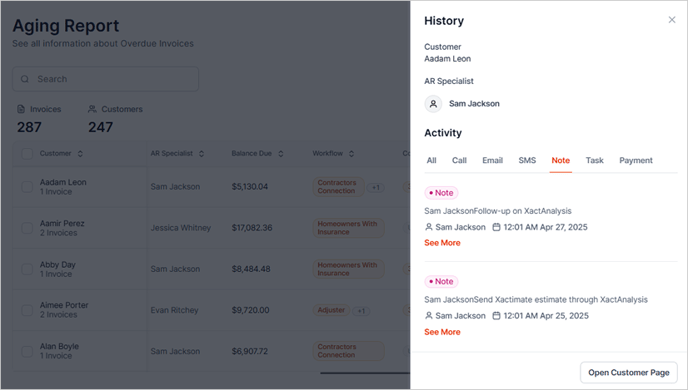
This will open the complete customer Activity section and allow you to navigate between:
- All Activities
- Call Logs
- SMS Messages
- Notes
- Tasks
- Payments
All without leaving the Aging Report!